Losing access to your motor insurance document can become a serious problem when you need to confirm the policy expiry date, renew the cover or purchase a used vehicle. Fortunately, you do not always need the policy number to find the basic insurance information linked to a car or bike.
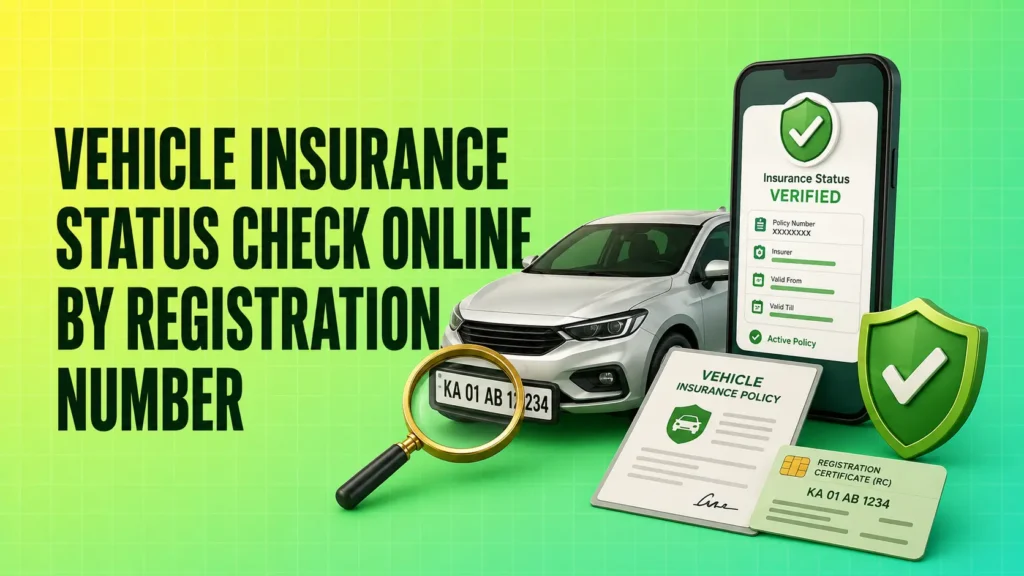
A vehicle insurance status check online by registration number can be completed through the official VAHAN service. It may show the insurer’s name and the date up to which the insurance record is valid. However, VAHAN generally provides limited information, so the insurer-issued policy document should still be checked for coverage type, IDV, add-ons and exclusions.
How to Check Vehicle Insurance Status Online by Registration Number
The VAHAN National Register is the primary government service for accessing digitised vehicle registration information across India.
Before starting, keep the following details ready:
- Vehicle registration number
- Active mobile number
- Correct state and RTO registration format
- Policy number, if available, for additional verification
Follow these steps:
- Open the official VAHAN Know Your Vehicle Details service.
- Sign in using your mobile number or create a citizen account.
- Enter the vehicle registration number exactly as it appears on the registration certificate.
- Complete the captcha or other verification process.
- Select Search Vehicle.
- Review the insurance company name and the Insurance Upto or validity field.
The displayed options may change when the government portal is updated. Always confirm that you are using an official Parivahan or VAHAN website before entering vehicle information.
Parivahan and VAHAN should not be treated as two completely separate checking methods. Parivahan is the broader transport-services portal, while vehicle details are generally retrieved through the VAHAN database.
What Information Can You Find on VAHAN?
The information available may depend on the vehicle record and access level. Citizens may only be shown partial details.
| Information displayed | What it tells you |
|---|---|
| Insurance company | Name of the insurer associated with the vehicle record |
| Insurance validity | Date up to which the recorded policy remains valid |
| Registration status | Whether the vehicle registration record is active |
| Vehicle class | Whether the vehicle is registered as a car, bike or commercial vehicle |
| Fuel type | Petrol, diesel, CNG, electric or another registered fuel type |
| PUC validity | Pollution certificate validity, where available |
| Fitness validity | Fitness-certificate status, mainly relevant to commercial vehicles |
VAHAN may not provide the complete motor insurance policy number, Insured Declared Value, premium amount, add-on covers, claim history or detailed policy exclusions.
You can use MoneyMoksh’s guide to verify the vehicle’s RTO and registration details if you also need information about the registering authority, registration status or other vehicle records.
For complete insurance information, download the policy schedule directly from the insurance company.
Other Ways to Verify Vehicle Insurance Status
VAHAN is useful for a quick status check, but it is not the only way to verify a motor insurance policy.
Check Through the mParivahan App
The official mParivahan platform can also be used to access vehicle information.
- Install the official mParivahan application.
- Register or sign in with your mobile number.
- Search using the vehicle registration number.
- Open the vehicle record.
- Check the insurance validity information.
The app and the VAHAN portal may rely on related government vehicle records. Therefore, they should not be considered independent proof when the same incorrect information appears on both platforms.
Two-wheeler owners can also follow the dedicated guide on how to check bike insurance validity online using the vehicle number.
Check Through the Insurance Company
Contacting the insurer is the most reliable option when you need complete policy information.
You may be able to retrieve the policy using:
- Vehicle registration number
- Registered mobile number
- Policyholder’s name
- Policy number
- Chassis number
- Insurer’s website or mobile application
The policy schedule issued by the insurer confirms whether the policy is comprehensive, standalone own damage or third-party only. It also contains the IDV, add-ons, policy period, exclusions and insured vehicle details.
If you cannot find the document, follow these steps to download your vehicle insurance copy through the insurer or available digital services.
Search Your Email and Messages
Insurance companies generally send the policy document or renewal confirmation to the registered email address or mobile number.
Search your inbox using terms such as:
- Motor insurance policy
- Policy schedule
- Insurance renewal
- Insurer’s name
- Vehicle registration number
Also check the spam, promotions and deleted folders. A copy may be available in DigiLocker or an insurance repository only when the policy has been issued, linked or uploaded there.
Contact the RTO
Contact the relevant Regional Transport Office when:
- The registration information is incorrect
- Ownership transfer is not reflected
- An old vehicle record is unavailable online
- The registration number has changed
- The insurer confirms that it has already submitted the correct policy information
The insurer should normally be contacted first when only the insurance date or company name is incorrect.
What Do Different Insurance Status Results Mean?
Understanding the displayed result is important because an online record does not always tell the complete story.
Active or Valid
An active status means the recorded insurance expiry date is in the future. However, it does not confirm:
- Whether the policy is comprehensive or third-party only
- Which add-ons are active
- Whether the registered owner’s name is correct
- Whether a particular claim will be covered
- Whether policy conditions have been fulfilled
Read about the differences between third-party, own-damage and comprehensive insurance before assuming that an active policy provides protection for damage to your own vehicle.
If you are checking the policy after an accident, understanding the correct motor insurance claim process can help you report the loss, arrange the documents and avoid preventable delays.
Expired
An expired date means the insurance validity recorded in VAHAN has passed. Do not drive the vehicle until valid mandatory insurance has been arranged.
At minimum, vehicles used on public roads need valid third-party insurance, which covers specified liabilities arising from injury, death or property damage caused to others.
Contact the insurer to check:
- Whether the policy was renewed but not updated
- Whether a vehicle inspection is required
- Whether any break-in policy conditions apply
- Whether the No Claim Bonus remains available
- The exact start date of the renewed policy
Insurance Details Not Available
A missing record does not always mean that the vehicle is uninsured. It may happen because:
- The policy was issued recently
- Renewal information has not yet been synchronised
- The registration number was entered incorrectly
- The vehicle has an old or incomplete digital record
- The policy was issued against the chassis number
- The insurer uploaded incorrect vehicle details
- The VAHAN service is temporarily unavailable
Verify the policy directly with the insurer before purchasing another policy or assuming that the existing policy is invalid.
Old or Incorrect Insurance Details
The portal may continue to show a previous insurer or an old expiry date after renewal.
Common reasons include:
- Delay in insurer data submission
- Delay in government database synchronisation
- Incorrect registration number on the policy
- Temporary registration replaced with permanent registration
- Ownership transfer still in progress
- Policy linked to incorrect chassis or engine details
Why Is a Renewed Policy Not Showing on VAHAN?
A renewal confirmation from the insurer and the VAHAN record are not always updated at the same time.
The most common reasons are:
- Data synchronisation delay: The insurer may have issued the policy, but the government database has not yet received or processed the updated record.
- Incorrect registration number: A misplaced letter, digit or space in the policy record may prevent correct mapping.
- Temporary-to-permanent registration change: A policy issued before permanent registration may still be linked to the temporary number or chassis details.
- Ownership transfer: The policy and registration records may not reflect the same owner.
- Old vehicle record: Information for some older vehicles may not be fully digitised or updated.
- Technical issue: The portal may temporarily fail to retrieve the latest information.
Avoid relying on an assumed fixed update period. Processing time can vary depending on the insurer, vehicle record and database update.
What to Do When Insurance Details Are Missing or Incorrect
Follow this order to resolve a mismatch:
- Download the latest policy schedule from the insurer.
- Confirm that the premium payment was successful.
- Check the policy start and expiry dates.
- Match the registration, chassis and engine numbers with the RC.
- Contact the insurer and report the incorrect VAHAN record.
- Ask whether the policy information has been submitted for updating.
- Request correction if any vehicle detail is wrong.
- Save the complaint reference number and written confirmation.
- Check the VAHAN record again after the insurer processes the request.
- Contact the relevant RTO or Parivahan support if the insurer confirms submission but the mismatch remains.
Do not immediately purchase a second policy merely because the updated details are not visible. First confirm whether a valid policy has already been issued to avoid unnecessary payment or duplicate coverage.
Checking Insurance Before Buying a Used Vehicle
An online insurance check is useful while evaluating a used car or bike, but it should not be the only verification step.
Before completing the purchase:
- Search the registration number on VAHAN.
- Check the insurance expiry date.
- Match the vehicle class and registration status with the RC.
- Ask the seller for the complete policy schedule.
- Confirm the policyholder’s name.
- Check whether the insurance is comprehensive or third-party only.
- Ask whether any claims have been made during the policy period.
- Confirm the ownership and policy-transfer process with the insurer.
- Check whether the No Claim Bonus has been used correctly.
An active insurance date does not prove that the buyer will automatically receive all policy benefits. Motor insurance transfer and vehicle ownership transfer should be handled correctly after the sale.
What to Do if the Vehicle Insurance Has Expired
When the policy has expired:
- Avoid driving the vehicle until valid mandatory cover is active.
- Contact the existing insurer or compare suitable renewal options.
- Confirm whether the insurer requires a vehicle inspection.
- Check the effect of the policy break on the No Claim Bonus.
- Review the new policy’s start date carefully.
- Ensure the registration, chassis and engine details are correct.
- Download and save the renewed policy document.
- Recheck the online record after the renewal is processed.
Do not assume that renewal coverage starts immediately in every case. Confirm the effective date mentioned in the policy schedule.
Safety Tips for Checking Insurance Online
Vehicle and insurance documents contain sensitive information. Follow these precautions:
- Use only official government or insurer websites.
- Check the website domain before entering vehicle details.
- Never share an OTP with an agent or unknown caller.
- Do not upload your complete RC to an unverified website.
- Avoid applications requesting unnecessary access to contacts, SMS or payments.
- Do not share the full chassis number publicly.
- Blur personal information before sending screenshots.
- Treat third-party apps as convenience tools, not final proof of policy coverage.
Conclusion
The official VAHAN service is the most practical starting point for a vehicle insurance status check online by registration number. It can help you confirm the recorded insurer and insurance validity without requiring the complete policy number.
However, VAHAN generally provides limited vehicle information. Always verify the policy type, IDV, add-ons, insured details and coverage period from the policy schedule issued by the insurer. When the online record is missing or incorrect, contact the insurer first and request an update instead of assuming that the policy is inactive.
FAQs
Why does VAHAN show my previous insurer after I have renewed with a new company?
The previous insurer may remain visible when the new insurer’s data has not yet been uploaded or synchronised. Confirm that the new policy is active, check the registration number on the policy and contact the new insurer with a screenshot of the outdated record.
Does the insurance validity shown on VAHAN confirm comprehensive coverage?
No. The displayed validity date does not necessarily reveal whether the policy includes own-damage cover, third-party cover, zero depreciation, engine protection or other add-ons. Check the policy schedule for the exact coverage.
Can insurance be active even when VAHAN shows “details not available”?
Yes. A valid policy may not appear because of a recent renewal, database delay, incorrect vehicle mapping or an old registration record. The insurer’s policy schedule and written confirmation should be checked before concluding that the vehicle is uninsured.
What should I do if the registration number is correct on the RC but wrong on the policy?
Contact the insurer immediately and request a policy endorsement or correction. Provide the RC and other requested documents. Do not alter the document yourself, as incorrect vehicle information may create complications during a claim.
Is checking VAHAN enough before buying a used car or bike?
No. VAHAN can help confirm limited registration and insurance information, but the buyer should also inspect the policy schedule, verify the policyholder’s name, confirm the coverage type and complete the ownership and insurance-transfer requirements.