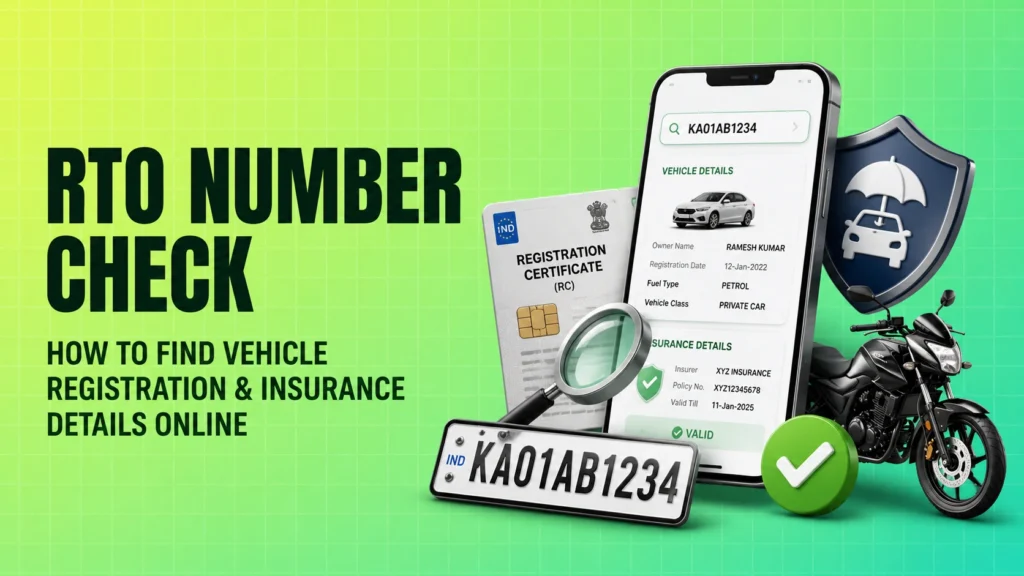
An rto number check helps you verify a vehicle’s public registration details using its number plate. In India, this is usually done through the official Ministry of Road Transport and Highways system, which uses the VAHAN database on the Parivahan portal. It is a useful way to confirm basic vehicle information, check whether insurance appears valid, and understand the registration status before relying on a vehicle record.
Just as important, this check has limits. You can see only public or partially masked information. Sensitive details such as a full address, phone number, or complete owner profile are not shared for privacy reasons. That is why the official route is safer and more trustworthy than random third-party apps that promise “full vehicle history” for money.
Why You Should Perform an RTO Vehicle Number Check
There are a few practical situations where an RTO vehicle number check is useful. The most common one is confirming whether a vehicle’s papers look current and whether the insurance record is active in the government database.
Here are some everyday reasons people use it:
- To verify a vehicle record: If you only have the number plate, you can confirm whether the vehicle exists in the official database.
- To check insurance validity: You can see whether insurance details are available and when the policy appears to expire, if the data has been updated.
- To confirm registration details: The check can show the RTO where the vehicle was registered, the vehicle class, fuel type, and related data.
- After an accident or incident: If you note a number plate, the public record may help identify basic vehicle details for reporting purposes.
- To verify a parked or abandoned vehicle: In some cases, people use the public record to understand which RTO the vehicle belongs to.
For readers searching for vehicle ownership details in Kerala, rto vehicle information mh, or mh rto vehicle registration owner search, the same official process applies. The state code may differ, but the database route remains the same through Parivahan and VAHAN.

How to Check Vehicle Registration and Insurance Status Online
The official way to do an RTO number check is through the Parivahan Sewa portal, which is linked to the VAHAN database. This is the government’s central vehicle registration system. It is the first place you should check because it is the most reliable source for public vehicle records.
Using the Parivahan Official Portal
Follow these steps on the official Parivahan website:
- Open the official Parivahan portal at parivahan.gov.in.
- Look for the VAHAN or vehicle-related services section.
- Choose the option for vehicle search or know your vehicle details.
- Enter the vehicle registration number exactly as shown on the number plate.
- Fill in the verification code or captcha if asked.
- Submit the search request.
- Review the public details shown on the screen.
If the record is available, you may see details such as the RTO, registration date, fuel type, vehicle class, and insurance or fitness-related status. The exact screen layout can change over time, so follow the labels shown on the portal rather than relying on old screenshots from blogs or videos.
A useful tip: type the number plate carefully. Even a small mistake in letters or digits can return no result or the wrong record.
Using the mParivahan Mobile App
The official mParivahan app is another government-backed option from MoRTH. It is useful if you want to check basic vehicle details on a phone without opening the desktop portal.
Basic steps to use the app:
- Download the official mParivahan app from your phone’s app store.
- Open the app and choose the vehicle search or RC details option.
- Enter the registration number.
- Complete any verification step required by the app.
- Check the public details displayed on the screen.
Use only the official app published by the government or clearly linked from Parivahan. Avoid similar-looking apps that ask for unnecessary permissions or payments for information that should be public.
Understanding the Information You Will Get
An RTO vehicle check is useful because it gives you basic verification data, but it does not give you everything. The purpose is to help you confirm the vehicle’s public record without exposing private personal data.
The table below explains what is usually visible and what remains private.
| Information Type | Status | What It Tells You |
|---|---|---|
| Registration details | Public | Confirms the vehicle’s official record in the VAHAN database |
| RTO location | Public | Shows which RTO issued the registration |
| Vehicle class | Public | Tells you whether it is a private car, two-wheeler, commercial vehicle, and so on |
| Fuel type | Public | Shows whether the vehicle runs on petrol, diesel, CNG, electric, or another fuel type |
| Registration date | Public | Indicates when the vehicle was first registered |
| Insurance expiry date | Public or updated from insurer data | Helps you check whether insurance appears active, if the database is updated |
| Fitness expiry date | Public | Useful for commercial vehicles and vehicles that require fitness renewal |
| Owner name | Partially masked | Shows limited owner identity details while protecting privacy |
| Full address | Private | Not shown to protect personal safety and privacy |
| Phone number | Private | Not shared in public search results |
| Chassis and engine details | Limited/partially displayed | May help with verification, but full sensitive data is not generally exposed publicly |
| Hypothecation status | Public | Shows whether the vehicle is financed and tied to a lender |
One important point: the insurance date you see online depends on how recently the record has been synced. In many cases, it is accurate, but it should still be verified with the insurer or policy document if you need a final confirmation.
Also, if you are checking vehicle ownership details in Kerala or trying to view rto vehicle information mh, the same table of public versus private data applies. State does not mean full disclosure. Privacy protections remain in place across India.
Important Privacy and Safety Warnings
The official government system is designed to share only public information. That is a good thing. It protects vehicle owners from misuse of personal data.
Keep these safety points in mind:
- Do not trust apps that promise full owner address or phone number: These claims are usually misleading and may expose you to fraud or data misuse.
- Do not pay unnecessary fees: The official vehicle search service on government portals is generally free.
- Do not share OTPs or logins: A genuine vehicle search should not ask for your bank OTP, UPI PIN, or personal passwords.
- Use official sources first: Start with Parivahan or the mParivahan app before trying any other service.
- Be careful with SMS-based shortcuts: Text-message services can be limited, outdated, or incomplete compared with the official portal.
Some private websites package basic public data in a flashy way and charge for it. That does not make the information more official. If a service claims to reveal a “full owner history” or private contact details, treat it as a red flag.
What to Do If Details Are Incorrect
Sometimes the online record may not match the physical documents. For example, the insurance expiry date may be outdated, the registration record may show an old owner, or a vehicle may not appear even though it exists.
If you notice an error, take these steps:
- Cross-check the RC, insurance policy, and fitness certificate if available.
- Check the number plate for typing mistakes in the search.
- Wait and recheck later if the vehicle was recently registered or the data was recently updated.
- Contact the local RTO if the record looks wrong or outdated.
- For insurance-related mismatches, verify the policy directly with the insurer.
In practice, a mismatch often happens because different systems update at different times. A recent policy renewal or ownership update may not reflect immediately on the public search page. If the issue is important, the local RTO is the right place to ask for correction guidance.
For readers looking up mh rto vehicle registration owner search or similar state-specific queries, the correction process still depends on the local RTO and the official vehicle records linked to the vehicle.
FAQ
Can I find the owner’s phone number through an RTO check?
No. The official RTO or VAHAN search does not show the owner’s phone number because that is private information.
Is it legal to check someone else’s vehicle number?
Yes, the basic vehicle record is a public record. However, you must use it for lawful and proper purposes only.
Do I need to pay to check these details?
No. The official Parivahan and VAHAN vehicle search is generally free to use.
Does the check show if the car has a loan on it?
It can show hypothecation status, which means the vehicle is financed or linked to a lender. It does not give full loan account details.
Is the insurance expiry date shown always accurate?
Not always. It depends on how recently the data has been synced with the insurance database, so verify it with the policy document or insurer if needed.
What if the vehicle doesn’t show up in the search?
It may be a typing error, a new vehicle with temporary registration, or a vehicle whose details are not yet fully updated in the system. Try again and then check with the local RTO if needed.