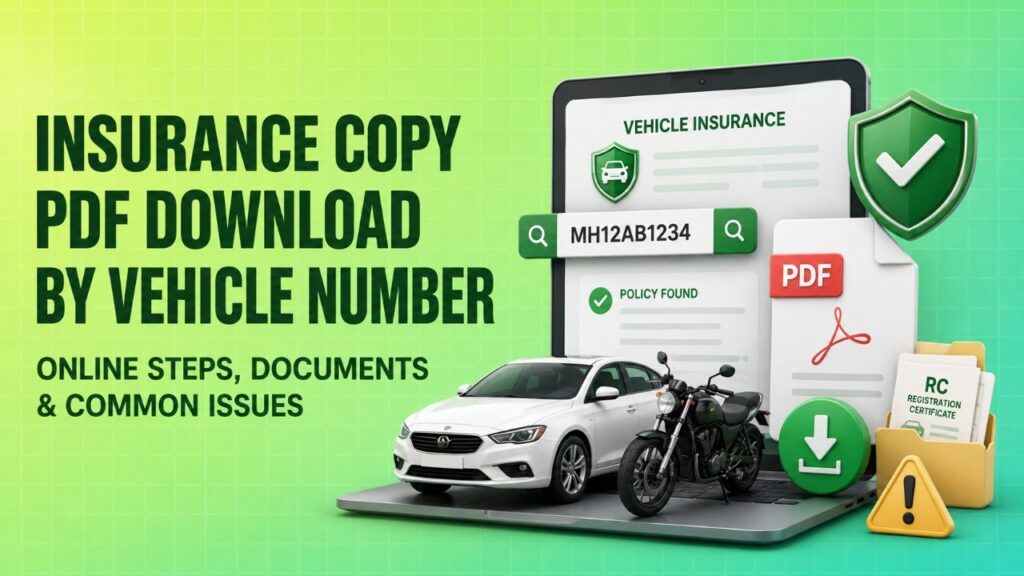
Losing your car insurance papers can feel stressful, especially if you need the document quickly for traffic checks, a renewal reminder, or your own records. The good news is that an insurance copy pdf download by vehicle number is usually possible through official channels. In India, the two reliable places to look are the government’s Parivahan portal and your insurer’s website.
One important point to know early: a vehicle number alone may show basic insurance status on government systems, but the full policy PDF usually comes from the insurance company. In many cases, your registered mobile number becomes the key because insurers send an OTP before allowing the policy download. If your mobile number is not updated, the process can get stuck even if you know the registration number.
Warning: Do not share your OTP, policy details, Aadhaar, PAN, or card information with third-party “insurance search” websites that promise instant PDF downloads. Use only the official Parivahan portal, the insurer’s website, or approved digital locker services.
Insurance Document Retrieval Decision Tree
 Use this quick guide to decide where to go first. This is only a simple pointer, so always verify the final document on the insurer’s official website.
| Question | If Yes | If No |
|---|---|---|
| Do you have your policy number? | Go to the insurer’s website for the fastest full PDF download. | Try the vehicle number route on the insurer portal or check Parivahan for basic status. |
| Is your mobile number updated with the insurer? | You can usually receive OTP and download the policy quickly. | You may need chassis/engine details or help from the insurer branch/dealer. |
| Do you only need insurance status? | The Parivahan portal may be enough. | If you need the full policy bond, use the insurer portal or DigiLocker. |
How to Download Insurance Copy via Parivahan (Government Portal)
The Ministry of Road Transport and Highways (MoRTH) Parivahan portal is the official government route for checking vehicle-related details. It is useful when you want to confirm whether insurance is active or view vehicle records linked with your registration number. In many cases, people search for a direct PDF here, but the portal may primarily show insurance status or related vehicle information rather than the full policy bond.
So, if your goal is to verify whether the vehicle is insured, Parivahan is a good starting point. If your goal is to get the complete PDF copy of the policy document, the insurer’s portal is usually the better route.
Step-by-Step Process on the Parivahan Website
- Visit the official Parivahan portal.
- Open Online Services.
- Select Vehicle Related Services.
- Enter your vehicle registration number.
- Proceed to the relevant service page.
- Look for the Others, Print, or vehicle details section, depending on the current portal flow.
- Check whether insurance details are displayed and whether any print option is available.
Keep in mind that portal layouts and options can change. If you do not see a direct download button, that does not mean the record is unavailable. It often means the government portal is showing status information only, while the full insurance copy needs to be downloaded from the insurer.
If you are using Parivahan, make sure the registration number is entered correctly, including the state code. Even a small typo can return the wrong record or no result at all.
Retrieving Insurance PDF from Your Insurance Company
For the full, legally useful policy bond, the insurer’s website is usually the most reliable source. Most IRDAI-registered motor insurers provide a document download or policy search option on their official website or app. This is the better option if you want to download car insurance policy documents for your records, renewal, or claim-related filing.
Unlike general vehicle status search pages, the insurer’s portal can often pull up your actual policy document. The exact steps vary by company, but the logic is usually similar: identify yourself using the vehicle number, registered mobile number, policy number, or a combination of vehicle details and OTP verification.
Using Vehicle Number and Registered Mobile Number
Many insurers have a “Quick Download” or “Policy Download” feature. In a common flow, you enter the vehicle registration number, confirm the mobile number registered with the policy, and verify through an OTP. After successful verification, the policy PDF can usually be downloaded from the screen or sent to your email.
- Open the official insurer website or mobile app.
- Choose the motor insurance policy download or policy search section.
- Enter your vehicle registration number.
- Enter the registered mobile number.
- Verify the OTP sent to that number.
- Download the policy PDF or save the document to your device.
If the policy was bought recently, the PDF may also be available in your email inbox or SMS link from the insurer. If you bought it through an agent, dealer, or car showroom, the original PDF is still issued by the insurer, not by the dealer. That is why the insurer portal remains the source of truth.
A practical tip: if you do not remember the policy number, search your SMS, email, or DigiLocker first. Many people find the policy number there faster than on the insurer portal.
Important Documents Required for Retrieval
Although this process is often described as a vehicle number-based search, you may need a few more details to verify your identity. Insurers use these details to prevent unauthorized access to policy documents.
- Vehicle registration number
- Registered mobile number
- Policy number, if available
- Chassis number, in some cases
- Engine number, in some cases
- Email ID linked with the policy, if required
The chassis number and engine number are especially useful if the mobile number has changed or if the insurer asks for extra verification. These details are also standard in Indian motor insurance records and RC-linked documentation. You can usually find them on your Registration Certificate, previous policy copy, or invoice papers from the dealer.
If the policy was issued long ago, the mobile number may not match the one currently in use. That is one of the most common reasons users fail to get the PDF on the first try.
Common Issues & How to Resolve Them
Retrieving an insurance copy online is usually simple, but small data mismatches can create delays. Below are the issues people face most often and the practical next step for each one.
| Issue | Likely Cause | Recommended Action |
|---|---|---|
| Mobile number not updated | The insurer’s record has an old phone number. | Contact the insurer and request a mobile number update with valid ID and policy details. |
| OTP not received | Network issue, wrong number, DND settings, or outdated record. | Retry after a few minutes, check signal, or use the insurer helpdesk to verify the registered number. |
| Vehicle number not found | Wrong registration format, policy not mapped yet, or expired policy record. | Recheck the number exactly as on the RC; if needed, use policy number or contact the insurer. |
| Insurance expired | Policy lapsed and is no longer active. | Ask the insurer for renewal or a past policy copy if their records allow it. |
| Site under maintenance | Temporary technical issue on the portal. | Try later, use the insurer app, or check through email/DigiLocker if available. |
| Policy bought through dealer | Dealer is only an intermediary; insurer holds the final policy PDF. | Use the insurer portal, the insurer’s customer support, or your registered email/SMS. |
One common user hurdle is that the registration number alone is not always enough for the full document. That is normal. Insurers need a second verification factor, usually the registered mobile number or policy number, before allowing an insurance download.
If the policy belongs to a used car you recently purchased, the previous owner’s mobile number may still be linked. In that case, you may need to contact the insurer with RC transfer details and identity proof to update the record before downloading the policy.
Beware of Fraudulent Insurance Portals
 A large number of fake websites promise “instant insurance copy download by vehicle number” and then ask for a service fee, PAN, Aadhaar, card details, or OTP. These sites are risky because they may collect your personal data and do nothing useful in return.
Here is how to stay safe:
- Use only the official Parivahan portal or the insurer’s official website/app.
- Check whether the insurer is IRDAI-registered.
- Never share OTPs with anyone who called, messaged, or emailed you unexpectedly.
- Do not upload unnecessary documents on random websites.
- Avoid payment requests for “document search” unless you are on an official service page you fully trust.
If a site promises a PDF in exchange for personal data, treat it with caution. Real insurer portals generally ask for standard verification details, not random sensitive access.
Also note that some people confuse digital access tools with policy validity. A downloaded PDF is only useful if the details on it are correct and the policy is active. Always verify the policy number, vehicle number, insurer name, period of insurance, and coverage dates before relying on the document.
Can DigiLocker Help You Access the Policy?
Yes, in many cases DigiLocker can help you access an insurance document if it was issued or linked digitally by the insurer or uploaded to your DigiLocker account. This is especially useful when your insurer supports digital policy storage. DigiLocker is a government-recognised digital document platform, so it can be a convenient backup when you need the policy on your phone.
However, availability depends on whether the policy has been linked correctly. If the insurer has not pushed the document to DigiLocker, you may still need to download it from the insurer’s website or ask customer support to resend it to your registered email.
For most users, the practical order is simple: check email and SMS first, then DigiLocker, then the insurer portal, and finally the Parivahan portal for status verification. That sequence saves time and avoids unnecessary website hopping.
What to Check Before Using Any Insurance Download Service
- Confirm that the website belongs to the insurer or the government.
- Check that the policy details match your vehicle exactly.
- Make sure your mobile number is the one linked with the policy.
- Keep chassis and engine numbers handy if extra verification is needed.
- Save the PDF in a secure location after download.
These checks matter because many download problems are caused by simple record mismatches, not by the system itself. A correct mobile number and accurate registration details usually solve most cases.
FAQs
Can I download my car insurance copy using only my vehicle number?
Usually, you can start the search with only the vehicle number, but most insurers will also ask for the registered mobile number, OTP, or policy number before allowing the full PDF download.
Is the PDF downloaded from the Parivahan portal valid for police verification?
Parivahan is useful for checking vehicle-related insurance status, but the full policy PDF from the insurer is the safest document to keep for verification. If you need proof, carry the insurer-issued policy copy or a digitally stored version from DigiLocker if it shows the policy correctly.
What if my mobile number is not registered with the insurance company?
You may not be able to complete the OTP-based download. In that case, contact the insurer’s customer care, update your mobile number with valid proof, or use policy details such as the policy number, chassis number, or engine number if the portal allows it.
How do I get a copy if the insurance was bought through a dealer?
The dealer may have sold the policy, but the insurer issues the actual PDF. Search your email, SMS, or DigiLocker first. If you cannot find it, visit the insurer’s official portal or contact customer support with your vehicle details.
Is there a fee to download my insurance policy online?
On the official insurer portal or government portal, downloading your own policy copy is generally free. Be careful with third-party websites that demand service fees for a simple document search.
Can I access my insurance policy through DigiLocker?
Yes, many motor insurance policies can be accessed through DigiLocker if they have been issued or linked digitally. If the policy is not visible there, use the insurer’s website or customer support to get the PDF.