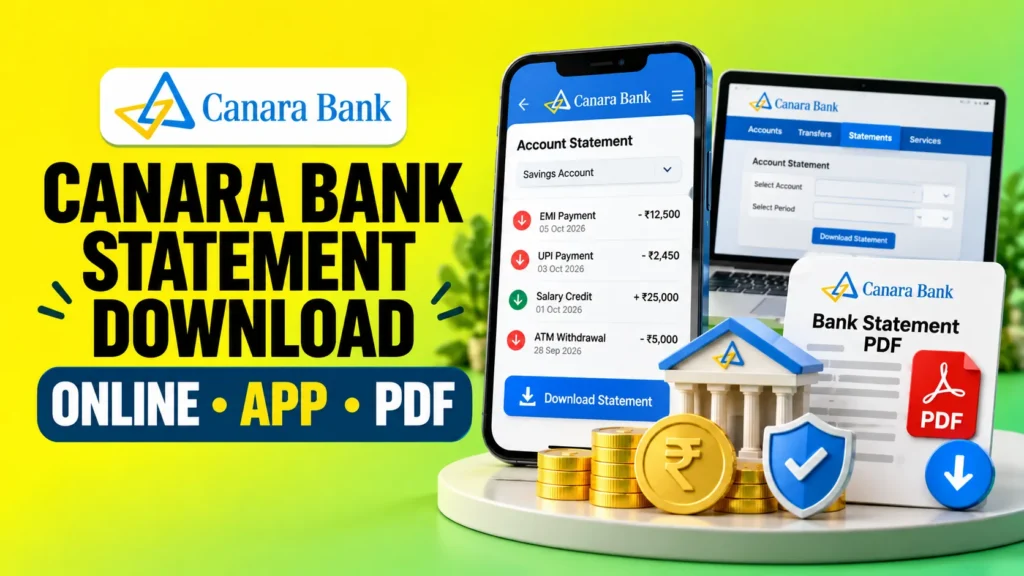
You can get your Canara Bank statement through the Canara ai1 mobile app, internet banking, WhatsApp Banking, or a bank branch. If you only want to check recent transactions, Canara Bank also provides mini statement options through the app, ATM, and missed call banking.
For most users, the Canara ai1 app is one of the easiest options. Canara Bank says customers can access the E Passbook from Pay and Transfer > E Passbook and generate statements for periods ranging from 10 days to one year, including custom dates within one year.
This guide explains each method step by step, along with Canara Bank statement PDF options, mini statement numbers, troubleshooting tips, and what to do if you need an older statement.
How Can You Download a Canara Bank Statement?
Canara Bank customers have several ways to access their account transactions. The best method depends on whether you need a detailed statement, a few recent transactions, or a printed copy.
| Method | What You Can Get | Best For |
|---|---|---|
| Canara ai1 App | Detailed E Passbook statement | Mobile users |
| Internet Banking | Account statement and transaction history | Desktop users and detailed records |
| WhatsApp Banking | Transaction view and statement request | Quick mobile access |
| ATM | Mini statement | Recent transactions |
| Missed Call Banking | Last 5 transactions | Users without internet |
| Bank Branch | Printed account statement | Offline help and older records |
If you need a complete statement for a particular period, start with mobile banking or internet banking. If you only want to confirm your latest transactions, a mini statement may be faster.
How to Download Canara Bank Statement from Canara ai1 App?
The Canara ai1 mobile banking app provides an E Passbook feature for checking account statements.
Steps to Get a Statement Using Canara ai1
- Open the official Canara ai1 mobile banking app.
- Log in using your registered credentials.
- Open Pay and Transfer.
- Select E Passbook.
- Choose the required account if you have more than one.
- Select the statement period or enter custom dates.
- Generate and review your account statement.
- Use the available download or sharing option if you need to keep a copy.
According to Canara Bank’s current mobile banking information, E Passbook statements are available for periods from 10 days to one year. Customers can also generate a statement between custom dates for a period of up to one year.
How Far Back Can You View Statements in Canara ai1?
You can generate an E Passbook statement for up to one year through Canara ai1, according to Canara Bank’s current mobile banking FAQ. You can also choose a custom date range within that limit.
If you need records older than the period available in the app, try internet banking or contact your Canara Bank branch.
How to Download Canara Bank Statement Through Net Banking?
Internet banking is another useful option when you want to check your Canara Bank transaction history on a larger screen or save account records.
The exact names of menu options can change when the bank updates its online banking interface, but the general process is simple:
- Go to Canara Bank’s official website and open Internet Banking.
- Log in with your Internet Banking credentials.
- Open your savings or current account.
- Look for the account statement or transaction history option.
- Select the required date range.
- View the transactions and use the available download option if you need a copy.
Canara Bank includes account statements among the non financial services available through its digital banking channels. Its published material states that customers can view or download account statements digitally.
While reviewing your transaction history, you may see transfer modes such as IMPS, NEFT or RTGS. If these labels are unclear, see the difference between IMPS, NEFT and RTGS to understand how these bank transfers work.
Safety tip: Do not use a link received through an unknown SMS, email, or message to access net banking. Canara Bank advises customers to access internet banking through the bank’s official website and avoid public WiFi or cyber cafes for banking logins.
Can You Download a 3 Month, 6 Month or 1 Year Statement?
For Canara ai1 E Passbook, the bank currently allows statements up to one year. This means you can select periods such as three months, six months, or one year, provided the selected dates fall within the supported period.
For older transaction records, availability may depend on the digital channel. If the required dates are not available online, contact your branch for help.
How to Get Canara Bank Statement on WhatsApp?
Canara Bank also offers WhatsApp Banking through the official number 9076030001.
The bank currently lists services including current and savings account mini statements, transaction or statement viewing through WhatsApp, and account statement requests through email.
Steps to Use Canara Bank WhatsApp Banking
- Save 9076030001 in your phone.
- Open WhatsApp from your registered mobile number.
- Send Hi or Hello.
- Accept the applicable terms and complete registration or authentication.
- Open the available banking services.
- Select the statement or transaction option you need.
- Follow the instructions displayed in the chat.
Canara Bank’s WhatsApp Banking material states that information is provided after OTP based authentication.
Always confirm that you are messaging the bank’s official WhatsApp number before entering any banking information.
How to Download Canara Bank Statement PDF?
If you need a Canara Bank statement PDF for your personal records, income proof, loan documentation, visa paperwork, or another financial requirement, first generate the required statement through an official digital channel.
A downloaded statement can also be useful when an EMI is deducted twice, because the transaction date, amount and reference details can help you verify the duplicate debit and support a refund request.
The exact download format and options shown on your screen can depend on the channel and the latest version of the banking interface. When a PDF or download option is available, save the document only on a secure personal device.
You can also use Canara Bank WhatsApp Banking to request a current or savings account statement through email. This can be useful when you need a digital statement without searching through several app menus.
How to Open a Password Protected Canara Bank Statement?
Some digital bank statements may be password protected for security.
Do not rely on random websites that claim one universal Canara Bank PDF password formula. The password format can depend on the product or channel being used.
Canara Bank’s documentation for its digital services states that downloaded account statements may be password protected and that the applicable password format is provided within the application itself. Follow the instructions shown by Canara Bank when you download the file.
How to Get a Canara Bank Mini Statement?
A mini statement is different from a full Canara Bank account statement.
It is designed for quickly checking recent account activity. If you need transactions for several weeks or months, use a full statement instead.
Canara Bank Mini Statement by Missed Call
Canara Bank currently provides separate missed call numbers for balance enquiry and recent transactions.
| Service | Canara Bank Number |
|---|---|
| Balance Enquiry | 8886610360 |
| Last 5 Transactions in English | 09015734734 |
| Last 5 Transactions in Hindi | 09015613613 |
These numbers are currently listed on Canara Bank’s official Missed Call Banking page.
This distinction is important because 8886610360 is for balance enquiry. For a Canara Bank mini statement showing the last five transactions, use the applicable transaction number shown above.
How to Check Mini Statement in Canara ai1?
Canara Bank says ai1 users can open My Banking, use the Manage option under the account card, and select Mini Statement. The app can also provide quick mini statement access from the pre login screen after the feature has been enabled in settings.
Canara Bank Mini Statement Through ATM
You can also use a Canara Bank debit card at an ATM to check recent account activity.
- Insert or tap your debit card where supported.
- Enter your PIN securely.
- Select the mini statement option.
- Choose the relevant account if required.
- View or collect the transaction slip.
Canara Bank’s debit card information describes an ATM mini statement as an account statement showing the last 10 transactions.
This is different from the missed call service, which currently provides the last five transactions.
Can You Get a Canara Bank Statement Without Net Banking?
Yes. Internet banking is not compulsory for every statement related need.
You can use the Canara ai1 mobile app, WhatsApp Banking, an ATM, missed call banking for recent transactions, or visit a branch.
Choose the option according to what you need:
- Detailed digital statement: Canara ai1 or another supported digital banking channel
- Statement through WhatsApp or email: Canara WhatsApp Banking
- Last 5 transactions: Missed call banking
- Recent ATM transactions: ATM mini statement
- Printed or older records: Bank branch
How to Get a Canara Bank Statement from a Branch?
Visiting a branch can be useful if you cannot access digital banking, need older transaction records, or require help obtaining a printed statement.
Visit your home branch or another appropriate Canara Bank branch with sufficient account identification. Ask the bank employee for an account statement for the required period.
Charges, if any, can depend on the type of statement and request. Canara Bank’s published passbook FAQ says E Statements are free for savings accounts and lists separate charges for some duplicate statement requests. Because bank charges can change, confirm the latest fee with Canara Bank before requesting older or duplicate physical records.
Full Canara Bank Statement vs Mini Statement
| Feature | Full Account Statement | Mini Statement |
|---|---|---|
| Transactions | Covers the selected statement period | Shows only recent transactions |
| Date Range | Can cover months depending on channel | No custom long date range |
| Best For | Financial records, loans, tax or documentation | Quick transaction checking |
| Common Methods | ai1, Internet Banking, WhatsApp, Branch | ai1, ATM, Missed Call |
| Download Need | Useful when a saved statement is required | Usually used only for quick checking |
If someone asks you to submit a bank statement for a loan or other documentation, a mini statement will usually not provide the same transaction history as a full statement.
A full statement is also more useful when you need to identify recurring auto-debits. If the narration shows terms such as NACH DR or NACH CR, our guide to NACH in banking explains what these transaction entries can mean.
What Information Is Shown in a Canara Bank Statement?
A bank statement gives you a structured record of activity in your account. Depending on the statement format, you may see details such as:
- Transaction date
- Transaction description or narration
- Debit amount
- Credit amount
- Running or available balance
- Transaction reference information
- Account related details
Reviewing your statement regularly can also help you identify transactions you do not recognise. If you need to trace a specific payment, the transaction details may also include a reference number such as a UTR number, which can help you identify and track the transaction. Canara Bank advises customers to monitor account statements and transaction history for unauthorised or suspicious activity.
Why Is My Canara Bank Statement Not Downloading?
If you cannot view or download your Canara Bank statement, the problem does not always mean your account has an issue. Start with these checks.
| Problem | What You Can Try |
|---|---|
| Required transactions are missing | Check whether you selected the correct account and date range |
| E Passbook is not easy to find | Look under Pay and Transfer > E Passbook in Canara ai1 |
| Need a period longer than one year in ai1 | Try another official channel or contact your branch |
| App is not working properly | Update Canara ai1 from the official app store and retry securely |
| PDF does not open | Check the password instructions supplied by the bank with the statement |
| WhatsApp option is not working | Check that you are using the registered mobile number and official WhatsApp number |
| Need only recent transactions | Use mini statement instead of downloading a full statement |
| Digital methods still fail | Contact Canara Bank support or visit a branch |
Canara Bank’s mobile banking page also provides an in app support route through Profile > Contact Us, where users can choose email or calling options when they face a problem with the application.
Which Canara Bank Statement Method Should You Use?
You do not need to try every available option. Choose the method that matches your purpose.
- Need a detailed mobile statement? Use Canara ai1 E Passbook.
- Need to review transactions on a computer? Use official Internet Banking.
- Want a statement through chat or email? Try Canara Bank WhatsApp Banking.
- Need only the last five transactions? Use missed call banking.
- Need recent transactions while near an ATM? Request a mini statement.
- Need an older or printed statement? Contact the branch.
This is usually faster than choosing a method simply because it appears first in a search result.
Is It Safe to Download a Canara Bank Statement Online?
Downloading a bank statement online is convenient, but the document contains sensitive financial information.
Use only official Canara Bank channels and a trusted personal device. Avoid logging in to internet banking over public WiFi or from shared computers.
Never share your Internet Banking password, debit card PIN, MPIN, or OTP with someone claiming they need it to download your statement. Canara Bank specifically warns customers that the bank will not call, email, or SMS asking for passwords or OTPs.
After downloading a statement, store it securely and avoid uploading it to unknown websites or sharing it unnecessarily.
Final Word
Getting a Canara Bank statement does not require a branch visit in most everyday situations. Canara ai1 E Passbook is useful for detailed statements of up to one year, while Internet Banking provides another digital option for reviewing account activity.
For quick access, Canara Bank WhatsApp Banking can show transactions or help request an account statement through email. If you only want recent activity, use the mini statement facility instead of downloading a complete statement.
Choose the method based on the period and type of information you need, and always use official Canara Bank channels when accessing financial information.
Frequently Asked Questions About Canara Bank Statements
How can I download my Canara Bank statement?
You can access a Canara Bank statement through Canara ai1 E Passbook, Internet Banking, or other supported digital channels. In ai1, open Pay and Transfer and select E Passbook. The bank currently allows E Passbook statements for periods from 10 days to one year.
How can I get a Canara Bank statement on mobile?
Open the Canara ai1 app and go to Pay and Transfer > E Passbook. Select the required period or custom dates and generate the statement. WhatsApp Banking is another mobile option for viewing transactions or requesting a statement through email.
Can I get a Canara Bank statement without net banking?
Yes. You can use Canara ai1, WhatsApp Banking, a bank branch, or a mini statement service depending on what information you need. Missed call banking is suitable when you only need your last five transactions.
How can I check the last 5 transactions in Canara Bank?
Give a missed call to 09015734734 for the last five transactions in English or 09015613613 for Hindi from your eligible registered mobile setup. These are the numbers currently published by Canara Bank.
What is the Canara Bank mini statement number?
Canara Bank currently lists 09015734734 for the last five transactions in English and 09015613613 for Hindi. The number 8886610360 is listed separately for balance enquiry.
Can I download a 6 month Canara Bank statement?
Yes. Canara Bank says the ai1 E Passbook supports statements between 10 days and one year, including custom date ranges up to one year. A six month period therefore falls within the currently stated E Passbook range.