Table of Contents
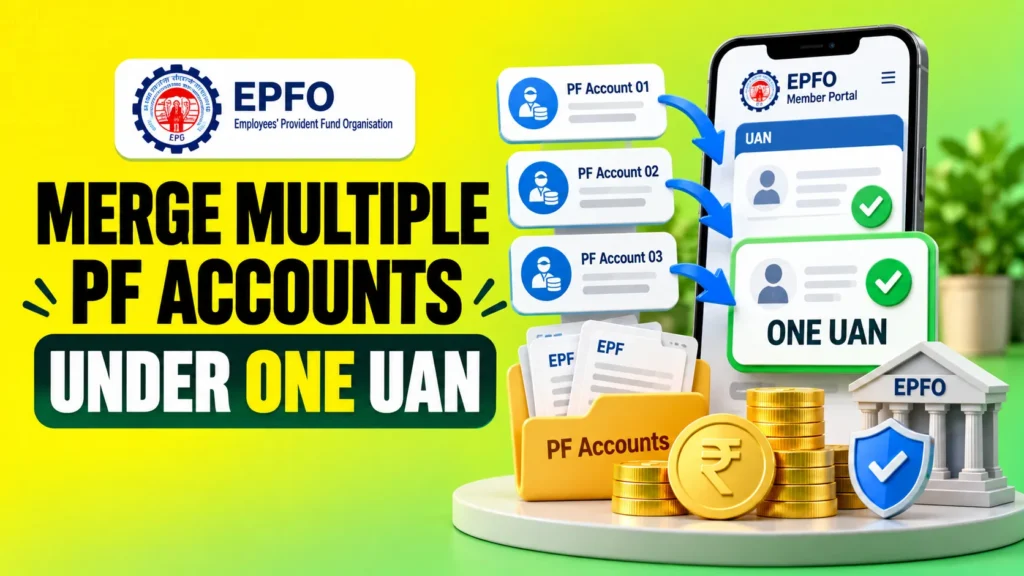
If you have changed jobs more than once, you may see multiple PF Member IDs linked to your UAN. You do not need to withdraw money from every old PF account separately. You can transfer the balance from your previous PF account to your current PF account through EPFO.
Although people commonly call this a PF account merge, EPFO technically treats it as a PF transfer. Form 13 is used to transfer the provident fund balance and eligible pension service details from an old account to the present account.
This guide explains how to merge PF accounts online, what to check before applying, and how to fix common PF transfer problems.
What Does Merging PF Accounts Actually Mean?
When you join a new company, your employer generally creates a new PF Member ID for that employment. Therefore, having multiple Member IDs after changing jobs is not unusual.
Your UAN connects your EPF membership across employers. If money is still lying in an old PF Member ID, you can transfer it to your current PF account instead of leaving your PF savings spread across different employment records.
If you are new to EPF and want to understand contributions, employer share and how the balance builds over time, see our beginner guide on how PF works.
For example, suppose you worked at Company A and later joined Company B. Your PF may look like this:
| Employment | PF Status |
|---|---|
| Company A | Old PF Member ID with previous balance |
| Company B | Current PF Member ID receiving contributions |
After a successful transfer, the eligible PF accumulation from Company A moves to your present PF account. Your old employment record does not simply disappear. It remains part of your EPFO service history.
What Should You Check Before Merging PF Accounts?
Before starting the PF merging process, first log in to your EPFO Member Portal and check your employment records.
Make sure that:
- Your current UAN is accessible.
- Your previous and current PF Member IDs are visible.
- Your name and date of birth are correct.
- Your Aadhaar details match your EPFO profile.
- Your previous employer and employment details are correct.
- Your Date of Exit for the previous job is available where required.
If your name, date of birth, Aadhaar details, or employment information is incorrect, it is better to correct the problem first rather than repeatedly submitting transfer requests.
You can also check View > Service History in your EPFO account to understand which Member IDs belong to your previous employers.
How to Merge PF Accounts Online in EPFO
The easiest way to merge PF accounts under one UAN is to transfer your previous PF account to the current account through EPFO’s One Member One EPF Account facility.
EPFO’s official transfer guidance lists this service under the Online Services section of the Member Portal.
- Log in to the EPFO Member Portal.
Use your UAN and login credentials to access your member account. - Open Online Services.
Select One Member One EPF Account (Transfer Request). - Check your present employment.
Verify that your current PF Member ID and personal information are correct. - Select your previous PF account.
Fetch the details of the previous employment from which you want to transfer your PF balance. - Check all employment details.
Confirm the employer name, previous Member ID, joining date, leaving date, and current PF account before continuing. - Complete the authentication.
Follow the OTP or other authentication instructions shown by EPFO. - Submit the transfer request.
Save the claim or reference details so you can track the request later.
Form 13 is the official form used for transferring an old PF account to a new one. EPFO states that the PF balance and applicable pension service details can be transferred to the present account through this process.
Is Employer Approval Required for PF Transfer?
Employer approval is no longer required in the majority of eligible online PF transfer cases.
EPFO simplified the transfer process in January 2025 by removing the employer approval requirement for most transfer claims. It further simplified Form 13 processing in April 2025 by removing approval at the destination EPFO office. Once an eligible transfer is approved at the source office, the amount can move to the present account through the revamped process.
This is important because many older guides still tell users that every PF transfer must first be approved by the previous or current employer.
However, some cases may still require additional verification, especially where account details do not match, records are incomplete, or special establishment conditions apply. So do not assume that employer involvement is impossible in every case.
For a broader explanation of eligibility, verification requirements and current EPF transfer rules, you can also check our detailed transfer guide.
What If You Have Two Different UANs?
Multiple PF Member IDs and multiple UANs are not the same problem.
If all your PF accounts are already linked to one UAN, you mainly need to transfer the old PF balance to your current Member ID.
If a new UAN was created when you changed jobs, first check which UAN is connected with your current employment. Do not continue using different UANs for different jobs if the records should belong to the same member.
The transfer process can be used to move previous PF funds and service details into your current account. If the portal does not allow the transfer because of duplicate UAN or identity details, contact EPFO or raise a grievance rather than trying to create another UAN.
Why Is Your PF Transfer Not Working?
A PF account merge often fails because of an account detail problem rather than the transfer facility itself.
| Problem | What to Check |
|---|---|
| Old PF account not showing | Check your EPFO Service History and previous Member ID |
| Name or DOB mismatch | Correct your EPFO profile details before applying again |
| Previous employment missing | Check whether the employer record is correctly linked |
| Date of Exit missing | Verify the exit details of your previous employment |
| Two UANs exist | Resolve the duplicate UAN situation and transfer the previous account |
| Claim rejected | Check the rejection reason before filing another claim |
| Transferred balance not visible | Check claim status and PF passbook before applying again |
A common mistake is submitting another transfer request immediately after seeing that the balance has not updated. First check whether the earlier claim is still being processed.
How to Check PF Transfer Status
After submitting the request, log in to the EPFO Member Portal and open:
Online Services > Track Claim Status
Check whether your transfer request is pending, processed, settled, or rejected.
Once EPFO completes the transfer, check your PF passbook to see whether the transferred amount has been credited to the current account.
EPFO has also made Annexure K available for download through:
Member Portal > Online Services > Track Claim Status > Download Annexure K
Annexure K contains transfer information such as PF balance, service history relevant to EPS, and employment details. This can be especially useful if your transfer is shown as processed but you are trying to confirm the credit.
Should You Transfer Old PF or Withdraw It?
Transfer and withdrawal are two different actions.
| PF Transfer | PF Withdrawal |
|---|---|
| Moves old PF savings to your current PF account | Takes eligible money out of EPF |
| Keeps PF savings consolidated | Reduces the amount remaining for retirement |
| Helps carry applicable service details forward | Subject to EPFO withdrawal eligibility rules |
| Uses the PF transfer process such as Form 13 | Uses the applicable EPFO withdrawal claim |
If you have changed jobs and are now working with another EPF covered employer, transferring your old PF account is the process designed to carry your previous PF accumulation to the present account.
Withdrawal is a separate decision and depends on your employment situation and EPFO eligibility rules. If withdrawal is actually suitable for your situation, our PF withdrawal online guide explains the eligibility checks, forms, KYC requirements and online claim process.
What Should You Do If the Transfer Is Stuck?
First, check the claim status and read any rejection reason shown by EPFO. If there is a mismatch in your name, Aadhaar, date of birth, Member ID, or employment details, correct that issue before submitting a fresh request.
If the transfer has already been processed but the credit is unclear, download Annexure K and compare it with your PF passbook.
If the problem remains unresolved, you can use EPFO’s grievance system or contact the EPFO helpdesk. The current Member Portal lists 14470 as the EPFO helpdesk number.
Final Word
If you have several PF accounts after changing jobs, you usually do not need to withdraw each balance separately. Check your Service History, identify your previous Member ID, and use the One Member One EPF Account transfer facility to move your old PF balance into the current account.
Before submitting the request, make sure your personal and employment details are correct. If a claim fails, fix the reason shown by EPFO instead of repeatedly filing new transfer requests.
The most important thing to remember is simple: PF account merging is essentially a transfer of your old PF accumulation to your present PF account. Once you understand this, the process becomes much easier to follow.
FAQs
Q1. Can I merge two PF accounts online?
Yes. You can transfer the balance from your old PF account to your current PF account through EPFO’s One Member One EPF Account transfer service. This is commonly called PF account merging.
Q2. Can I merge PF accounts under one UAN?
Yes. If multiple PF Member IDs are linked to the same UAN, you can transfer the balance from the old Member ID to your current PF account using the EPFO transfer process.
Q3. Do I need employer approval to merge PF accounts?
In most eligible online transfer cases, employer approval is no longer required. EPFO simplified the transfer process, although some cases may still need additional verification.
Q4. How long does it take to merge PF accounts?
EPFO lists a service standard of around 7 working days for PF transfer claims, although actual processing time can vary if verification, corrections, or account issues are involved.
Q5. What happens to the old PF account after transfer?
After a successful transfer, the eligible PF balance moves to your current PF account. The old Member ID may still remain visible in your service history as a record of your previous employment.