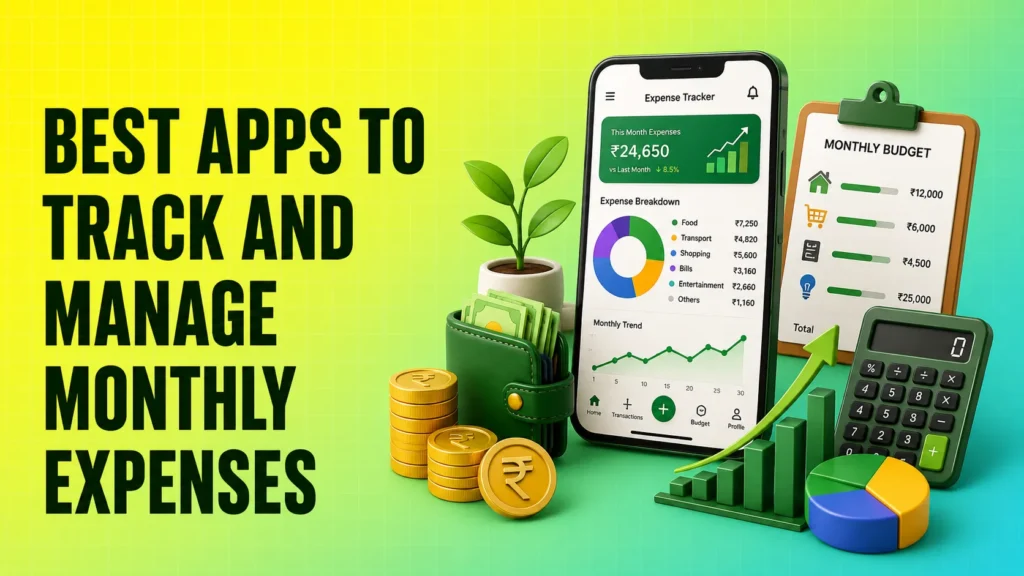
Small daily expenses can quietly consume a large part of your income. An expense tracker app helps you record transactions, categorise spending, set monthly budgets and understand where your money goes.
Some apps automatically import transactions from bank accounts or SMS alerts, while others require manual entries. The best apps to track and manage monthly expenses include Fold Money, axio, Jupiter Money, FinArt, Money Manager, Wallet and Monefy.
The right choice depends on whether you prefer automatic tracking, SMS-based tracking or complete manual control.
List of Best Apps to Track and Manage Monthly Expenses: Comparison
| Expense Tracker App | Play Store Rating | App Store Rating | Best For | Top Features |
|---|---|---|---|---|
| Fold Money | 3.1 | 4.5 | Tracking multiple financial accounts | Bank and credit card tracking, spending categories, cash-flow insights and net-worth overview |
| axio | 3.8 | Not directly comparable* | SMS-based expense tracking | Automatic SMS tracking, budgets, bill reminders and spending summaries |
| Jupiter Money | 4.3 | 4.7 | Banking and expense tracking in one app | Multiple bank accounts, monthly budgets, spending categories and bill reminders |
| FinArt | 4.3 | 4.1 | Automatic expense and bill tracking | SMS, email and notification tracking, family budgets and subscription reminders |
| Money Manager by Realbyte | 4.6 | 4.8 | Detailed manual expense tracking | Manual entries, category budgets, multiple accounts, calendar and reports |
| Wallet by BudgetBakers | 4.6 | 4.3 | Managing multiple accounts and budgets | Bank synchronisation, recurring budgets, bills, currencies and financial reports |
| Monefy | 4.0 | 4.6 | Simple expense tracking for beginners | Quick entries, charts, custom categories, recurring payments and cloud sync |
Recommended Read: Daily money manager hacks
Best Monthly Expense Tracker Apps in India
Given below are some of the best monthly expense tracker apps in India:
1. Fold Money
Best for: Tracking bank accounts, credit cards, investments and expenses in one place.
Fold Money is an India-focused personal finance app that automatically collects financial information through the Account Aggregator framework. It can connect supported bank accounts and organise transactions without requiring users to record every expense manually.
The app is suitable for people who use multiple bank accounts or credit cards and want a combined view of their spending, investments, loans and overall net worth.
Key Features
- Automatically tracks supported bank accounts and transactions
- Connects credit cards and monitors spending and outstanding dues
- Categorises transactions and shows spending patterns
- Tracks investments, loans, EPF, NPS and fixed deposits
- Provides cash-flow and net-worth insights
- Allows users to add tags, notes and receipts
Fold may be useful when you want a complete financial overview rather than a basic monthly expense tracker. However, account and card support can vary, so check whether your financial institution is supported before subscribing.
2. axio
Best for: Automatically tracking expenses through transaction SMS alerts.
axio, previously associated with the Walnut expense manager, offers SMS-based money management on Android. It reads transactional messages to identify spending from bank accounts, credit cards, wallets and utility payments.
It can help users manage monthly expenses without manually entering each UPI, card or bank transaction. The app also includes lending and fixed-deposit products, so users who only need expense tracking should carefully review which features and permissions they enable.
Key Features
- Detects expenses from transaction SMS messages
- Categorises daily and monthly spending
- Allows category-wise budget limits
- Sends utility bill and credit card payment reminders
- Supports notes, tags and receipt images
- Provides spending and savings summaries
The expense-tracking experience may differ between Android and iPhone. Android users should check SMS permissions before using automatic tracking.
3. Jupiter Money
Best for: Managing banking, UPI payments and expenses through one app.
Jupiter Money combines digital banking features with expense management. Users can track supported bank accounts, categorise spending, set monthly budgets and receive reminders for upcoming bills.
It is not only an expense tracker. The app also offers access to banking, credit cards, investments and loans through its financial partners. It may suit users who want payments and money management within the same app.
Key Features
- Tracks supported bank accounts in one place
- Automatically categorises eligible transactions
- Shows category-wise spending patterns
- Allows users to set a monthly budget
- Provides regular bill reminders
- Supports UPI payments and other financial services
Jupiter itself is not a bank. Banking, card and investment products available through the app are offered in partnership with regulated financial institutions.
4. FinArt
Best for: Tracking transactions, bills and subscriptions automatically.
FinArt is an automatic expense and budget tracker that can identify transactions using SMS messages, emails, wallet transactions and supported app notifications. Users can also add expenses manually when a transaction is not detected.
The app is useful for households that want to monitor monthly expenses, recurring subscriptions and upcoming bills. It also supports shared family budgeting across multiple devices.
Key Features
- Tracks expenses through SMS, emails and app notifications
- Records income and compares it with expenses
- Sends reminders for utility and credit card bills
- Identifies subscriptions and recurring payments
- Supports category-wise family budgets
- Allows CSV and PDF exports
- Includes a private mode for eligible tracking methods
Some automatic tracking, family synchronisation and advanced import features require a paid subscription.
5. Money Manager by Realbyte
Best for: Users who want detailed manual control over their financial records.
Money Manager by Realbyte is a manual expense tracker and budget planner. Instead of reading bank messages, it allows users to enter income, expenses and transfers themselves.
Manual entry takes more effort, but it gives users greater control over categories, accounts and transaction details. It may suit people who prefer not to link bank accounts or allow SMS access.
Key Features
- Records income, expenses and transfers manually
- Creates category-wise monthly budgets
- Manages cash, cards and multiple financial accounts
- Shows daily, weekly and monthly reports
- Provides calendar-based transaction views
- Displays spending through charts and statistics
- Supports personal and business records
Money Manager is a practical choice for users who can regularly record their transactions and want detailed reports without depending on automatic detection.
6. Wallet by BudgetBakers
Best for: Managing several accounts, budgets and currencies.
Wallet by BudgetBakers combines manual expense tracking with optional bank synchronisation. It can bring supported accounts into one dashboard and provide reports on spending, debts, bills and savings.
The app is useful for users who manage multiple accounts, travel frequently or need multi-currency tracking. Bank connectivity depends on the financial institution, location and subscription plan.
Key Features
- Synchronises transactions from supported banks
- Allows manual expense and income entries
- Creates one-time and recurring budgets
- Manages bills, debts and financial accounts
- Supports multiple currencies
- Provides detailed charts and reports
- Allows selected financial information to be shared with family members
Before purchasing its premium plan, confirm that your Indian bank is supported and check how frequently transactions are synchronised.
7. Monefy
Best for: Beginners who want a simple manual expense tracker.
Monefy uses a straightforward approach. Users select a category, enter the amount and save the expense. It does not require a complicated setup, making it suitable for students, first-time budgeters and people who want to track cash spending.
The app compares income with expenses and displays category-wise spending through simple charts.
Key Features
- Adds expenses and income quickly
- Displays spending through visual charts
- Supports default and custom categories
- Tracks recurring payments
- Manages multiple accounts and currencies
- Provides cloud synchronisation
- Supports backup and data export
- Offers passcode protection
Monefy is easy to use, but users must consistently enter transactions for the monthly report to remain accurate.
Which Expense Tracker App Should You Choose?
Choose an app according to how you want your transactions to be recorded:
- For automatic account tracking: Fold Money
- For SMS-based tracking: axio
- For banking and budgeting in one app: Jupiter Money
- For bills and subscription tracking: FinArt
- For detailed manual records: Money Manager
- For multiple accounts and currencies: Wallet
- For simple manual tracking: Monefy
Automatic apps save time, but they may require access to financial accounts, transaction messages, emails or notifications. Manual apps require more discipline but give you greater control over the information you enter.
Before installing an app, review its permissions, privacy policy, subscription charges and data-deletion options. Never share your banking password, card PIN or OTP with an expense tracker.
Helpful Tool: calculate your monthly EMI
Conclusion
Expense tracker apps can help you manage monthly expenses by showing how much you spend on food, shopping, travel, bills and other categories.
Fold Money and Jupiter are useful for users who want a broader financial overview. axio and FinArt reduce manual work through automatic transaction detection. Money Manager and Monefy are better for people who prefer manual control, while Wallet works well for multiple accounts and currencies.
Start with one app, set realistic category budgets and review your spending at least once a week. The most useful expense tracker is the one you can use consistently.
FAQs About Apps to Track and Manage Monthly Expenses
Which is the best app to manage monthly expenses in India?
There is no single app that suits every user. Fold Money is suitable for tracking multiple financial accounts, axio is useful for SMS-based expense tracking, and Money Manager is better for users who prefer manual entries.
Can expense tracker apps automatically track UPI payments?
Yes, some apps can detect UPI payments through linked account data, bank messages or app notifications. Detection accuracy depends on the app, transaction message format and permissions granted by the user.
Can I track expenses without linking my bank account?
Yes. Money Manager and Monefy allow users to record expenses manually without linking a bank account. This provides greater privacy but requires regular transaction entries.
Are monthly expense tracker apps free?
Most expense tracker apps offer free basic features. Bank synchronisation, automatic transaction imports, family sharing, data exports and advanced reports may require a subscription or in-app purchase.
Is it safe to allow an expense tracker to read transaction SMS messages?
SMS access can help an app detect transactions automatically, but users should grant it only to a trusted app. Review the developer, privacy policy, data-safety information and required permissions before enabling SMS access.