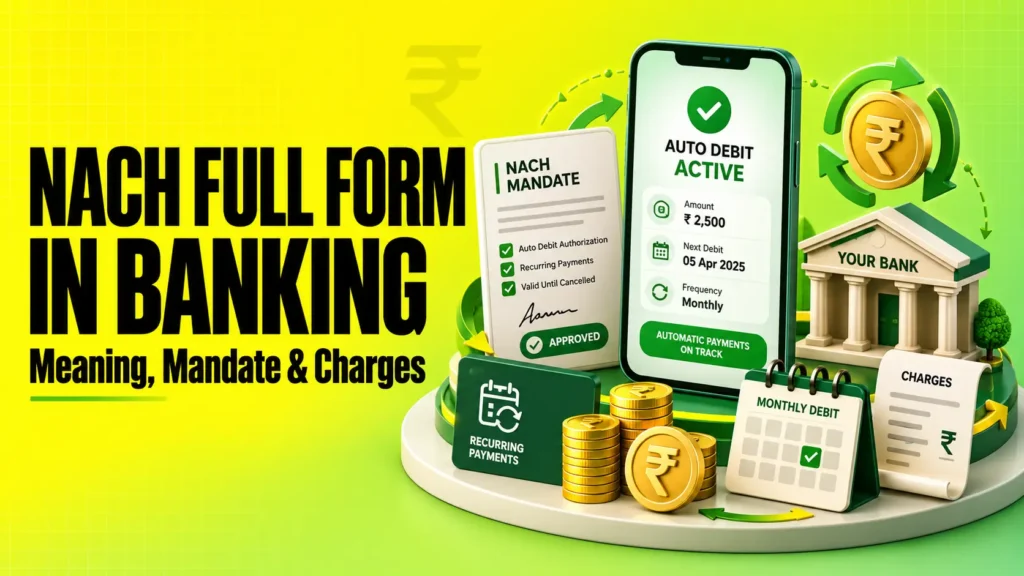
NACH full form in banking is National Automated Clearing House. It is a centralised payment system operated by NPCI for repetitive and bulk electronic bank transactions in India. NACH is commonly used for loan EMI, SIP, insurance premiums, utility bills, salaries, pensions, dividends and subsidies. A NACH mandate lets you authorise recurring debits from your bank account.
NACH full form in banking: What does NACH mean?
NACH stands for National Automated Clearing House.
The National Payments Corporation of India (NPCI) operates the NACH system. Banks, financial institutions, companies and government bodies use it for high-volume electronic transactions that repeat periodically.
For an individual customer, NACH is commonly visible when money is automatically debited or credited.
Some common NACH uses include:
- Loan EMI collection
- Mutual fund SIP payments
- Insurance premium payments
- Electricity, water and telephone bills
- Salary and pension credits
- Dividend and interest payments
- Government subsidies
NPCI introduced NACH as a centralised system to bring multiple Electronic Clearing Service or ECS systems under a common national framework.
How does NACH work?
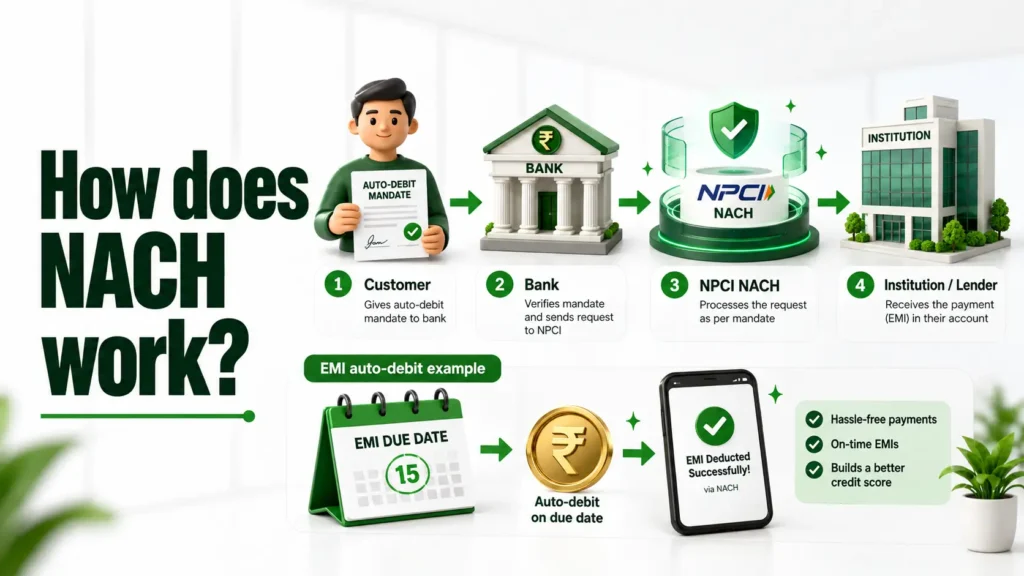
NACH transfers recurring debit or credit instructions between participating banks through NPCI.
For a typical NACH Debit, the process works like this:
- You give a mandate: You authorise a lender, insurer, mutual fund or another institution to collect payments.
- The mandate is registered: Your bank validates the mandate details.
- The institution submits the debit request: It sends the scheduled collection through its sponsor bank.
- NPCI processes the instruction: NACH routes the transaction to your bank.
- Your account is debited: The amount is deducted if the mandate and account meet the required conditions.
Once a valid recurring mandate is registered, you usually do not manually approve every scheduled debit.
For example, suppose your home loan EMI is ₹25,000 and falls due every month. If you have authorised a monthly NACH mandate, the lender can present the EMI according to that mandate.
NACH Debit vs NACH Credit
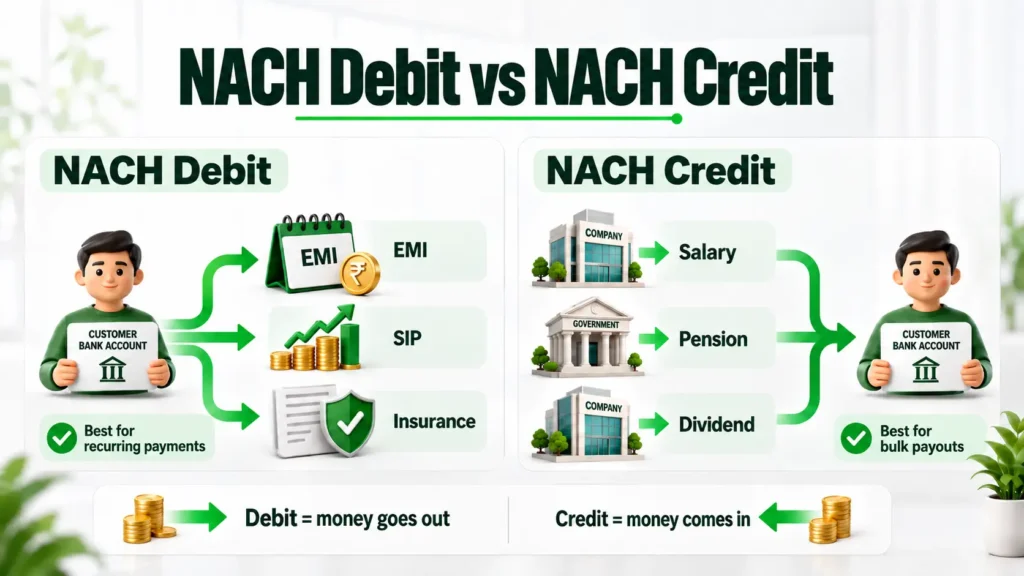
NACH supports both debit and credit transactions, but their purpose is different.
| Particular | NACH Debit | NACH Credit |
|---|---|---|
| Main purpose | Collect money from accounts | Distribute money to accounts |
| Money moves | From customer to institution | From institution to beneficiary |
| Common uses | EMIs, SIP, insurance, utility bills | Salaries, pensions, dividends, interest |
| Customer mandate | Generally required for recurring debit | Not the same type of debit authorisation |
| Example | ₹12,000 loan EMI debited | ₹30,000 pension credited |
NPCI specifically lists loans, mutual fund investments, insurance premiums and utility collections as NACH use cases. Salary, pension, interest, dividends and subsidies are common NACH Credit applications.
Also read: SIP calculator
What do NACH DR and NACH CR mean in your bank statement?
If your bank statement shows NACH DR, it generally indicates a debit processed through the NACH system.
NACH CR generally indicates a credit received through NACH.
For example:
NACH DR – ABC Finance – ₹8,500
This may represent a loan EMI collected by ABC Finance.
NACH CR – XYZ Pension – ₹20,000
This may represent a pension or another bulk credit.
The exact statement description varies between banks.
If you do not recognise a NACH Debit, check:
- Amount and transaction date
- Loan EMI due dates
- Active SIP
- Insurance premium schedules
- Utility payment mandates
- Merchant or lender name
- Mandate registration messages
Contact your bank promptly if the debit still appears unfamiliar.
What is a NACH mandate?
A NACH mandate is an authorisation allowing a specified institution to debit money from your bank account according to agreed conditions.
It does not give unlimited access to your bank balance.
A mandate generally contains information such as:
- Bank account details
- Name of the account holder
- Institution or corporate collecting money
- Fixed or maximum debit amount
- Payment frequency
- Start date
- End date or validity
- Mandate reference
A debit presented through NACH must match the applicable mandate conditions.
Also read: Savings account vs current account
What is UMRN in NACH?
UMRN stands for Unique Mandate Reference Number.
It is the reference assigned to a registered NACH mandate. It helps banks and institutions identify and track that particular mandate.
NPCI’s eSign mandate FAQ states that a UMR number can be provided to customers after successful processing and describes the UMRN used for mandate identification.
Keep the UMRN or mandate reference safely. It can be useful when checking, modifying or cancelling a mandate.
Physical NACH mandate vs eNACH mandate
NACH mandates can be created through physical or digital processes.
| Feature | Physical NACH mandate | eNACH mandate |
|---|---|---|
| Form | Paper mandate | Digital mandate |
| Authentication | Signature and bank verification | Supported digital authentication |
| Processing | Requires physical mandate processing | Mostly online |
| Convenience | More manual | Faster for supported banks |
| Paperwork | Required | Usually lower |
NPCI’s procedural guidelines recognise online authentication methods such as internet banking, debit card and Aadhaar-based authentication for supported mandate processes. Availability depends on the bank, institution and NACH variant.
Do not assume every bank supports every digital authentication method.
What is the NACH mandate amount limit?
There is no single amount limit that should be applied to every type of NACH mandate.
The applicable limit can depend on the mandate type and authentication method.
For example, NPCI’s eSign FAQ currently lists a ₹1 lakh cap for the eSign mandate variant.
NPCI also revised the limit for e-mandates registered through its simplified authentication framework from ₹15,000 to ₹50,000 on May 22, 2026. This is a specific simplified-authentication limit, not an overall ₹50,000 NACH limit.
NPCI also issued revised NACH mandate-form and limit-related circulars during FY 2026-27.
Therefore, check the current limit displayed by your bank, lender or payment platform before approving a mandate.
How to register an eNACH mandate
The exact registration journey depends on the bank and institution. A typical eNACH registration works as follows:
- Open the mandate link or registration page provided by the institution.
- Check the lender, insurer or company name carefully.
- Enter or confirm your bank account details.
- Review the maximum amount and debit frequency.
- Check the mandate start and end dates.
- Complete the available authentication method.
- Wait for successful registration confirmation.
- Save the mandate reference or UMRN.
NPCI states that debit transactions can be initiated only after the mandate has been accepted through the applicable process. It also requires customers to be informed when mandates are accepted or rejected under the eSign flow.
Never approve a mandate if you do not recognise the institution requesting it.
What are NACH mandate and return charges?
There is no single fixed NACH charge applicable to every bank customer in India.
Charges can vary by bank, account type, transaction type and service arrangement.
You may encounter the following:
| Charge | When it may apply |
|---|---|
| Mandate registration charge | When a mandate is created or verified |
| Mandate modification charge | When mandate details are changed |
| NACH transaction charge | Depending on the bank or corporate arrangement |
| NACH return charge | When a debit is returned |
| Lender bounce charge | May apply separately under a loan agreement |
| GST | May apply to eligible banking charges |
For example, Central Bank of India’s published schedule currently lists ₹100 for return of a NACH debit due to insufficient funds. It also publishes separate charges for mandate-related activities.
This does not mean ₹100 is the standard charge at every bank.
Another bank may levy a different amount or apply different conditions.
Always check:
Bank website → Schedule of Charges → NACH/ECS/Auto Debit charges
Loan borrowers should also read their loan agreement. A lender’s EMI bounce or late-payment charge can be separate from the bank’s NACH return fee.
What happens if a NACH debit fails?
A NACH debit may fail when the transaction cannot be completed against your bank account.
Common reasons include:
- Insufficient balance
- Account closed
- Invalid account details
- Account restrictions
- Mandate expired
- Mandate cancelled
- Debit amount exceeding permitted mandate conditions
- Technical or processing issues
NPCI’s mandate system validates important details such as account information and authorised amounts before applicable transactions are processed.
Example: NACH EMI failure
Suppose your personal loan EMI is ₹10,000.
Your bank balance on the debit date is only ₹6,000. The NACH debit may be returned due to insufficient funds.
Possible consequences can include:
- Bank NACH return charges
- Lender bounce charges
- Late-payment charges
- Continued outstanding EMI
- Possible credit-report impact if repayment remains overdue
A failed NACH instruction does not erase your payment obligation.
If an EMI fails, contact the lender and make the due payment through an accepted alternative method.
You can also read MoneyMoksh guide on what EMI means and how loan repayment works.
What if money is debited but the NACH transaction fails?
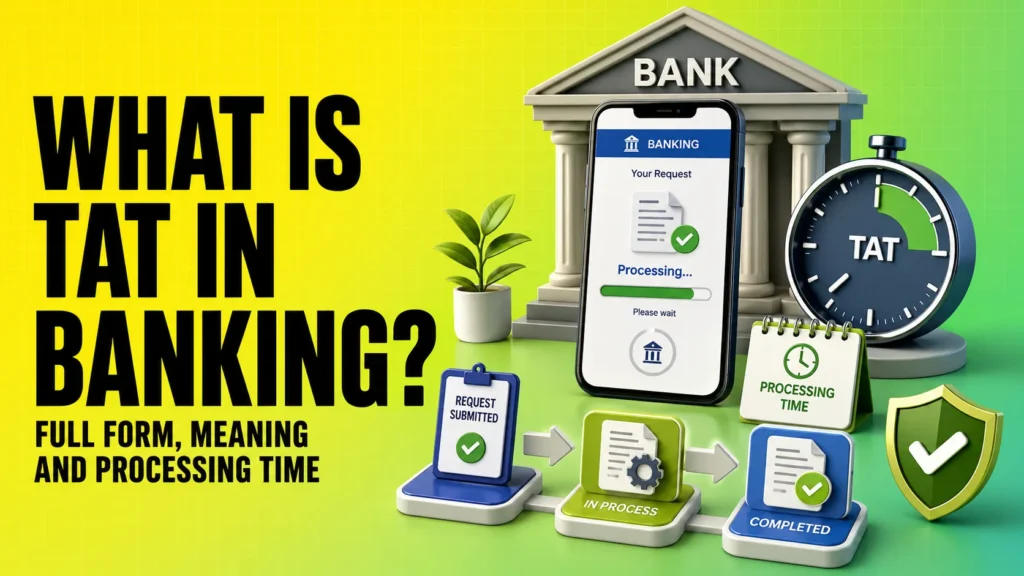
RBI has prescribed a Turn Around Time framework for failed transactions made through authorised payment systems.
For NACH, if there is a delay in crediting the beneficiary or reversing an unsuccessful transaction, the beneficiary bank must complete the reversal within T+1 day, where T is the transaction date.
If the delay continues beyond T+1, the RBI framework provides compensation of ₹100 per day of delay.
RBI also covers cases where an account is debited despite the customer having revoked the debit mandate with the bank. Resolution in such cases is prescribed within T+1 day.
If this happens:
- Check whether the amount has automatically returned.
- Save the transaction reference and bank statement.
- Contact your bank and lodge a complaint.
- Mention that the transaction was processed through NACH.
- Follow the bank’s grievance escalation process if unresolved.
Do not delete mandate cancellation confirmations until you are sure future debits have stopped.
How to cancel a NACH mandate
A customer can cancel a NACH mandate when the recurring debit is no longer required.
The exact cancellation method depends on your bank and the institution holding the mandate.
A typical process is:
- Identify the active mandate.
- Note the UMRN or available mandate reference.
- Request cancellation through the supported bank or institution channel.
- Complete authentication if required.
- Save the cancellation confirmation.
- Check future bank statements for further debits.
NPCI’s procedural guidelines provide for mandate cancellation through its mandate management framework. Once a mandate is successfully cancelled, transactions presented against that cancelled mandate are expected to be rejected.
NPCI has also issued instructions requiring customer-accessible mandate cancellation facilities for NACH participants.
Cancelling NACH does not cancel your loan
This distinction is important.
Cancelling an EMI mandate does not automatically close your loan.
Your lender can still require payment under the loan agreement.
Likewise:
- Cancelling NACH does not automatically cancel an insurance policy.
- Cancelling the mandate may not automatically stop a SIP instruction.
- Cancelling auto-debit does not remove an outstanding bill.
Complete the underlying cancellation or closure process separately.
After repaying a loan, also collect the applicable loan closure or no-dues documents.
Also read: NOC Meaning, Types, Uses & Importance in Loan Closure
NACH vs ECS vs Standing Instruction
NACH, ECS and Standing Instructions can all support recurring payments, but they work differently.
| Feature | NACH | ECS | Standing Instruction |
|---|---|---|---|
| Full form | National Automated Clearing House | Electronic Clearing Service | Standing Instruction |
| Framework | Centralised NPCI system | Older electronic clearing framework | Instruction within banking/payment arrangement |
| Inter-bank use | Yes | Historically used for recurring clearing | Depends on arrangement |
| Common purpose | Bulk recurring debit and credit | Recurring debit/credit | Repeated scheduled payment |
| Mandate system | Yes | Older mandate process | Bank or payment-provider specific |
NPCI states that NACH was introduced as a centralised platform aimed at consolidating multiple ECS systems operating across India.
For most readers, the practical difference is simple: NACH provides a national framework for recurring inter-bank bulk payments, while a standing instruction may operate within a particular bank or payment arrangement.
What should you check before approving a NACH mandate?
A NACH mandate can make recurring payments convenient, but check its conditions before authorising it.
Review these details:
- Institution name: Make sure you recognise the lender or company.
- Maximum amount: Check how much can be debited.
- Frequency: Monthly, quarterly, yearly or another approved frequency.
- Start date: Know when debits can begin.
- End date: Check when the mandate expires.
- Bank account: Confirm the correct account is linked.
- Loan due date: Maintain enough balance before EMI presentation.
- Return charges: Check your bank’s latest Schedule of Charges.
- Cancellation method: Know how the mandate can be stopped.
- UMRN: Keep the mandate reference for future tracking.
Avoid approving mandate links received from unknown sources.
If the mandate is for a loan, read the repayment terms separately. Auto-debit convenience should not replace checking EMI dates, penalties and outstanding balances.
Conclusion
NACH makes repetitive bank payments easier by automating regular debits and bulk credits. For customers, it is commonly used for EMI, SIP, insurance premiums and utility payments.
Before approving a NACH mandate, check the amount, frequency, validity, institution name and cancellation process. Keep sufficient balance before scheduled debits and check your bank’s own charges instead of assuming one standard NACH fee applies everywhere.
If a mandate is no longer required, cancel it through the supported channel and keep proof of cancellation.