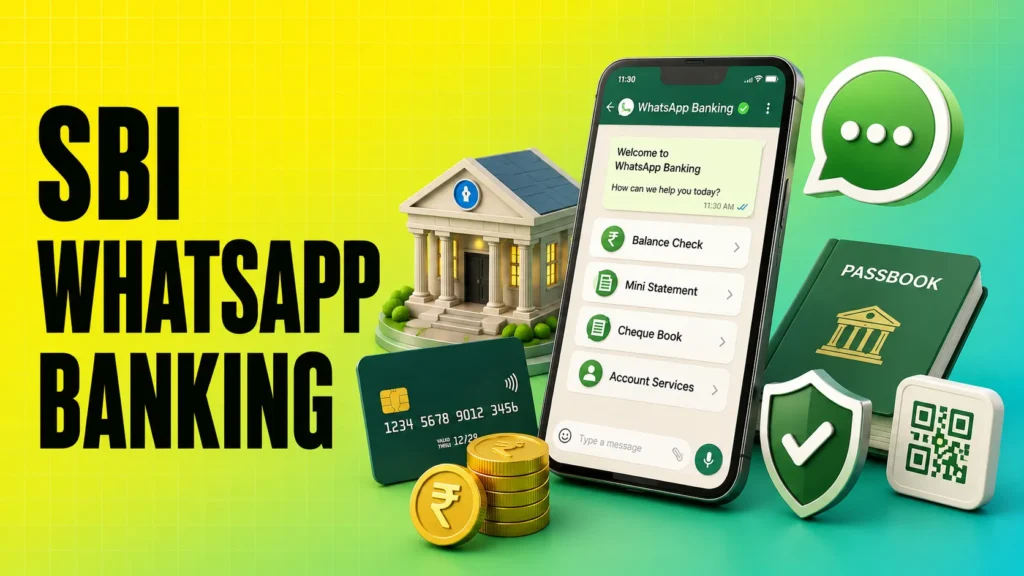
Managing your bank account has become much easier with SBI WhatsApp Banking. Instead of visiting a branch or opening a mobile banking app, eligible State Bank of India (SBI) customers can use WhatsApp to access basic banking services in just a few taps. By chatting with SBI’s official WhatsApp chatbot, you can check your account balance, view your mini statement, find nearby ATMs or branches, and access other banking services anytime.
To start using this service, you need to register your mobile number with SBI and send “Hi” to the official SBI WhatsApp Banking number. Once your registration is complete, you can use the chatbot to access the available banking services securely. The service is free to use, although standard SMS or internet charges from your mobile operator may apply.
In this guide, you’ll learn what SBI WhatsApp Banking is, the official WhatsApp number, its features, benefits, eligibility, registration process, and how to use it safely.
SBI WhatsApp Banking Official Number
To access SBI WhatsApp Banking services, customers must use only the bank’s official WhatsApp Banking number.
SBI Official WhatsApp Banking Number: 90226 90226
Before starting the chat, save this number in your phone’s contacts. Then open WhatsApp and send “Hi” to begin interacting with the SBI chatbot.
Using only the official number helps protect you from fake WhatsApp accounts and online banking scams. Always verify that you’re chatting with the genuine SBI WhatsApp Business account before sharing any banking-related information.
SBI WhatsApp Number to Check Balance
If you want to check your SBI account balance through WhatsApp, use the same official number:
90226 90226
After completing the registration process, send “Hi” to this number and follow the chatbot instructions to select the Balance Enquiry option. The chatbot will display your available account balance within a few seconds.
This method is useful for customers who want a quick balance enquiry without logging into internet banking or the YONO SBI app.
How to Start Chatting with SBI on WhatsApp
Getting started is simple:
- Save 90226 90226 in your contacts.
- Open WhatsApp.
- Search for the saved contact.
- Send “Hi” to start the conversation.
- Follow the chatbot menu to access available banking services.
If you’re using the service for the first time, make sure you’ve completed the registration process using your registered mobile number.
Also Read: Best for a Savings Account
Key Features of SBI WhatsApp Banking
SBI WhatsApp Banking allows customers to access several essential banking services directly through WhatsApp. The chatbot is designed to provide quick responses without requiring you to visit a branch or log in to internet banking.
Some of the key features include:
- Account Balance Enquiry: Check your latest account balance instantly.
- Mini Statement: View your recent account transactions.
- ATM Locator: Find the nearest SBI ATM based on your location.
- Branch Locator: Search for nearby SBI branches.
- Deposit Interest Information: Get information about applicable deposit interest rates.
- Banking Information: Access details about selected SBI banking services through the chatbot.
The list of available services may change over time as SBI updates its WhatsApp Banking platform.
Benefits of SBI WhatsApp Banking
SBI WhatsApp Banking offers a simple and convenient way to access everyday banking services. Since WhatsApp is already installed on most smartphones, customers can perform basic banking tasks without downloading another application.
Some of the major benefits include:
- Available 24×7 for basic banking enquiries.
- Free to use for eligible SBI customers (standard SMS or internet charges may apply).
- No need to install a separate banking app for basic services.
- Quick access to account balance and mini statement.
- Easy-to-use chatbot interface suitable for users of all age groups.
- Secure communication through SBI’s official WhatsApp Business account.
- Saves time by reducing the need to visit a branch for simple enquiries.
For customers who mainly need balance enquiries, mini statements, or branch information, SBI WhatsApp Banking provides a fast and convenient alternative to traditional banking channels.
Also read: Top 5 Health Insurance Companies 2026
How to Check SBI Account Balance on WhatsApp
One of the most popular uses of SBI WhatsApp Banking is checking your account balance. Once your mobile number is registered, you can view your available balance within seconds.
Follow these steps:
- Open WhatsApp.
- Send Hi to the official SBI WhatsApp Banking number 90226 90226.
- Wait for the chatbot menu to appear.
- Select the Balance Enquiry option.
- The chatbot will display your current account balance instantly.
This is one of the easiest ways to use the SBI WhatsApp number to check balance, especially if you don’t want to log in to YONO SBI or Internet Banking.
Things to Remember
- Your WhatsApp number must match the mobile number registered with SBI.
- The service works only after successful registration.
- Always use the official SBI WhatsApp Banking number.
- Keep your internet connection active while using the service.
How to Get SBI Mini Statement on WhatsApp
SBI WhatsApp Banking also allows customers to view their recent account transactions without visiting a branch or logging into internet banking.
To get your mini statement:
- Open WhatsApp.
- Send Hi to the official SBI WhatsApp Banking number.
- Wait for the chatbot menu.
- Choose the Mini Statement option.
- The chatbot will send your recent account transactions within a few seconds.
A mini statement generally includes your latest transactions, helping you quickly review recent credits and debits in your account.
This feature is especially useful when you want to verify a recent transaction or keep track of your account activity while on the go.
SBI WhatsApp Banking Services List
SBI WhatsApp Banking offers several essential banking services that customers can access directly through WhatsApp. While it doesn’t replace the YONO SBI app or Internet Banking, it is useful for everyday banking enquiries and account-related information.
The services currently available include:
| Service | Available |
|---|---|
| Account Balance Enquiry | ✅ Yes |
| Mini Statement | ✅ Yes |
| ATM Locator | ✅ Yes |
| Branch Locator | ✅ Yes |
| Deposit Interest Information | ✅ Yes |
| Information on SBI Banking Services | ✅ Yes |
SBI may introduce additional WhatsApp Banking features in the future. For the latest services, check the options displayed by the official chatbot after sending “Hi”.
Is SBI WhatsApp Banking Safe?
Yes, SBI WhatsApp Banking is generally safe when you use the bank’s official WhatsApp Business account and follow basic online security practices.
The service is designed to provide information through an automated chatbot without asking for confidential details like your ATM PIN or Internet Banking password.
Security Features
Some of the security measures include:
- Communication through SBI’s official WhatsApp Business account.
- Access only from your registered mobile number.
- Automated chatbot that provides predefined banking services.
- No need to share your debit card PIN or Internet Banking password.
Even with these security measures, customers should remain cautious while using any digital banking service.
Tips for Using SBI WhatsApp Banking Securely
Using WhatsApp Banking safely is just as important as using any other digital banking service. Following a few simple precautions can help protect your account from fraud and unauthorized access.
Here are some useful safety tips:
- Always use the official SBI WhatsApp Banking number.
- Verify that you’re chatting with SBI’s official WhatsApp Business account.
- Never share your OTP, ATM PIN, CVV, or Internet Banking password.
- Avoid clicking on unknown or suspicious links received through WhatsApp.
- Keep your WhatsApp application updated to the latest version.
- Lock your smartphone with a PIN, password, or biometric authentication.
- Log out of WhatsApp Web if you’re using a shared computer.
- Contact SBI immediately if you notice any suspicious activity related to your account.
By following these precautions, you can use SBI WhatsApp Banking more securely while reducing the risk of online banking fraud.
Conclusion
SBI WhatsApp Banking is a convenient way for eligible SBI customers to access basic banking services without visiting a branch or opening a mobile banking app. After completing a one-time registration, you can use the official WhatsApp chatbot to check your account balance, view your mini statement, locate nearby SBI branches and ATMs, and access other supported services.
The platform is especially useful for customers who want quick banking information through an app they already use every day. However, it’s important to remember that WhatsApp Banking supports only selected services. For transactions like fund transfers, bill payments, or investment management, you’ll still need to use YONO SBI or SBI Internet Banking.
To stay safe, always use the official SBI WhatsApp Banking number, keep your registered mobile number updated, and never share confidential details such as your OTP, ATM PIN, CVV, or Internet Banking password with anyone.
FAQs
Is SBI WhatsApp Banking free?
Yes. SBI does not charge any fee for using WhatsApp Banking. However, standard SMS charges for registration and internet or mobile data charges may apply based on your telecom plan.
Can I check my SBI account balance through WhatsApp?
Yes. Once you’re registered for the service, you can check your SBI account balance anytime by sending “Hi” to the official WhatsApp Banking number and selecting the Balance Enquiry option.
How can I get an SBI mini statement on WhatsApp?
Open WhatsApp, send “Hi” to the official SBI WhatsApp Banking number, and select the Mini Statement option. The chatbot will display your recent account transactions.
Can I request a cheque book using SBI WhatsApp Banking?
SBI may offer cheque book-related services through WhatsApp depending on the services currently available. Check the chatbot menu after starting a conversation to see the latest options.
Is SBI WhatsApp Banking safe to use?
Yes, it is generally safe when you use the official SBI WhatsApp Business account. Always avoid sharing your OTP, ATM PIN, CVV, or Internet Banking password with anyone.