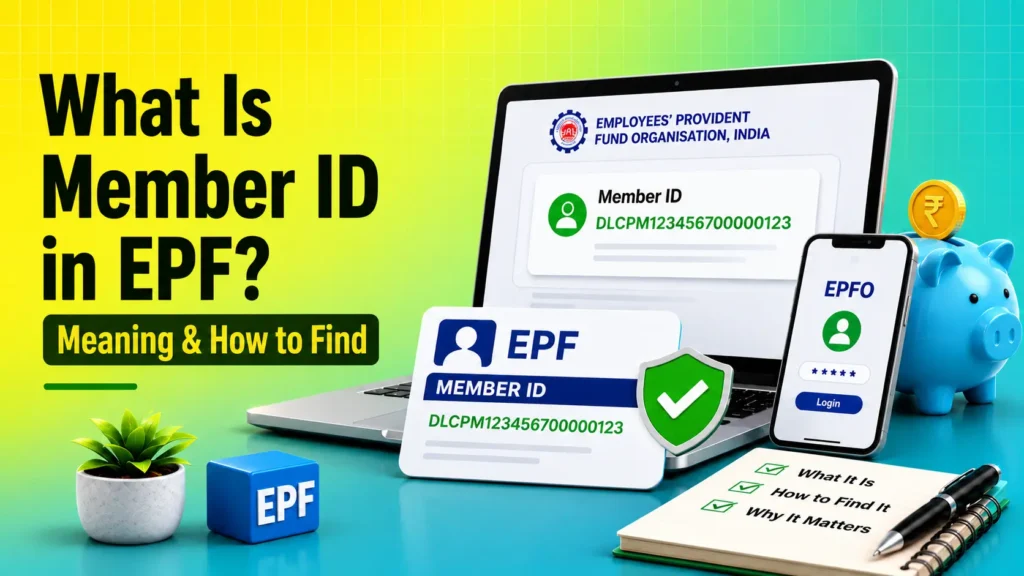
Your Member ID in EPF (Employees’ Provident Fund) is a unique number linked to your PF account for a specific job. EPFO uses this number to identify and manage your provident fund contributions under a particular employer. If you change jobs, your Member ID changes, but your UAN stays the same and connects all your Member IDs under one account.
Table of Contents
What is a Member ID in EPF?
A Member ID in EPF is a unique identification number assigned to your PF account under a specific employer. Every time you join a new company that contributes to EPF, a new Member ID is usually created and linked to the same UAN.
Member ID is also commonly known as the EPF Account Number or PF Number for a specific employer. It identifies your provident fund account with that employer and helps EPFO manage your PF contributions, transfers, and claim records.
Your UAN remains the same throughout your working life, while a new Member ID is usually generated whenever you join a new EPF-registered employer. As a result, one UAN can be linked to multiple Member IDs.
Also Read: EPFO New Rules 2026
Member ID vs UAN
The easiest way to understand the difference is this: UAN stays the same throughout your working life, but Member ID changes when your employer changes. UAN connects all your PF accounts in one place, while Member ID identifies the PF account for one specific employment.
| Point | UAN | Member ID |
|---|---|---|
| Full meaning | Universal Account Number | Member-specific PF account number |
| Nature | Permanent | Employer-specific |
| Number per person | Usually one | Can be multiple |
| Purpose | Links all PF accounts | Tracks contributions from one employer |
EPF Member ID Format
EPF Member ID is not a random number. It usually contains details such as region code, office code, establishment code, extension, and member account number.
This format helps EPFO organize and identify the employer and the employee account correctly. If you understand the format, it becomes easier to read old PF records and identify where the account belongs.
How to Find Your Member ID
You can find your EPF Member ID in a few simple ways:
- Check your salary slip: Many employers mention the PF Number or Member ID on the monthly salary slip.
- Log in to the UAN Member Portal: Sign in with your UAN and open Service History or Member Details to view your employer-wise Member ID.
- View your EPF passbook: Your EPF passbook shows the Member ID linked to each employer.
- Use the UMANG app: Log in with your UAN to access your EPF details, including your Member ID and passbook.
- Check your PF statement: Your PF statement or contribution statement may include your Member ID.
- Contact your HR or payroll team: If you cannot find it online, your employer can provide the correct Member ID.
If you have worked for more than one company, you may have multiple Member IDs under the same UAN. In that case, check the one linked to your current employer first.
Also Read: How to Transfer EPF Online
Common Issues and Fixes
Sometimes users cannot see their Member ID even after checking the usual places. Here are the most common reasons:
-
UAN is not fully activated: Activate your UAN before trying to view member details.
-
Employer has not updated records: Ask your HR or payroll team to confirm whether your PF details have been linked correctly.
-
Multiple jobs under one UAN: This is normal if you have changed employers, but you may need to check each employment record separately.
-
Passbook not showing updated data: Wait a little and check again later, as EPF updates may take time to reflect.
-
Wrong mobile number or login issue: Make sure your registered mobile number and login details are correct before checking the portal.
These fixes help users quickly identify why the Member ID is missing and what to do next.
Final Thoughts
Your EPF Member ID is a unique number assigned to your PF account for a specific employer. While your UAN remains the same, a new Member ID is usually created when you change jobs. Keeping your UAN active and ensuring all Member IDs are linked correctly can help you manage your EPF account, transfers, and claims without any issues.
FAQs
Is Member ID the same as PF number?
Yes. In most cases, the PF account number and Member ID refer to the same employer-specific EPF account.
Can I have two Member IDs?
Yes. You can have multiple Member IDs if you have worked for more than one EPFO-registered employer.
Does Member ID change after switching jobs?
Yes. A new employer usually generates a new Member ID, while your UAN remains the same.
Can I check Member ID without UAN?
It may be difficult online. You can check your salary slip or contact your employer’s HR department.
Is a Member ID required for PF withdrawal?
The withdrawal request is generally submitted through UAN, but the claim is processed against the relevant Member ID.