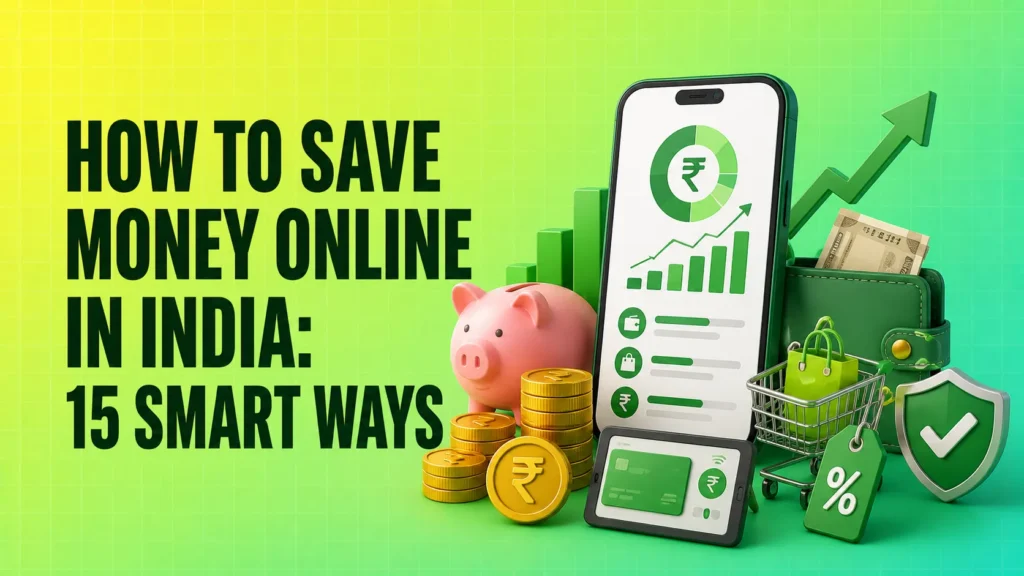
Online payments make life easier, but they also make spending less noticeable. A ₹199 subscription, a ₹70 delivery fee or a few small UPI payments may not feel important individually. By the end of the month, however, these expenses can take away a large part of your savings.
Learning how to save money online in India is not only about searching for coupon codes. It involves controlling digital spending, comparing the real cost of purchases, reducing recurring charges and using banking tools to save automatically.
The following methods can help you reduce unnecessary expenses without completely changing your lifestyle.
How to Save Money Online in India Without Feeling Restricted

You can save money online by reviewing digital transactions, setting limits for non-essential expenses, comparing final prices, cancelling unused subscriptions and automating savings. The goal is not to avoid every purchase. It is to make sure your money goes towards things you actually need and value.
1. Review Your UPI and Bank Transactions Every Week
Small digital payments are easy to forget because no physical cash leaves your hand. A weekly transaction review helps you identify where your money is going before the month ends.
Open your bank or UPI transaction history and divide expenses into categories such as:
- Food delivery
- Online shopping
- Travel
- Entertainment
- Bills
- Subscriptions
Pay particular attention to frequent low-value payments. Spending ₹100 or ₹200 several times a week can create a bigger monthly expense than one large planned purchase.
A weekly review also makes it easier to correct your spending during the same month instead of discovering the problem later.
2. Set a Separate Limit for Digital Spending
Do not keep one general budget for every expense. Create separate monthly limits for online shopping, food delivery, entertainment and subscriptions.
For example, you may decide that your monthly non-essential digital spending should not cross a fixed amount. Once that limit is reached, postpone additional purchases until the next month.
You can also maintain a separate bank account for discretionary spending. Transfer only the planned amount to this account and keep your salary, emergency fund and essential bill money separate.
This creates a practical barrier between money available for spending and money meant for saving.
3. Use a Digital Budget Instead of Relying on Memory
Mental budgeting rarely works when payments are spread across cards, UPI apps, wallets and auto-debits.
Use a spreadsheet, banking dashboard or trusted expense-tracking application to compare your planned budget with actual spending.
Your budget should show:
- Monthly income
- Fixed commitments
- Essential variable expenses
- Non-essential spending
- Savings and investments
- Upcoming annual payments
Avoid giving financial apps unnecessary access to contacts, messages or device controls. Use tools with clear privacy policies and only the permissions needed for expense tracking.
Spend Less While Shopping Online
4. Compare the Final Price, Not the Displayed Discount
A product with a larger discount is not always cheaper. Online platforms may add delivery fees, convenience charges, installation costs or other expenses during checkout.
Before placing an order, compare:
- Final payable amount
- Delivery and platform charges
- Warranty
- Return policy
- Installation cost
- Seller reputation
A product priced slightly higher on a trusted platform may offer better value if it includes free delivery, reliable returns and an official warranty.
Do not judge a deal only by the crossed-out maximum retail price or discount percentage.
5. Check Price History Before Buying During a Sale
Online sale prices can create urgency, but not every sale offers a genuine discount. Sometimes the listed price is increased before the sale and then reduced to make the discount appear larger.
Before buying an expensive product:
- Compare its price across trusted platforms
- Check whether the model number and specifications are identical
- Review its price movement over time
- Verify bank-offer conditions
- Calculate the final cost after all charges
Avoid making decisions because of countdown timers or messages such as “only one left.” These signals are designed to speed up purchases, not necessarily to help you save.
6. Use Coupons and Cashback Only for Planned Purchases
Coupons and cashback can reduce your cost, but only when you were already planning to buy the product.
Do not increase your cart value merely to qualify for a small discount. Spending an additional ₹500 to receive ₹100 cashback still increases your overall expense.
Before using an offer, check:
- Minimum order value
- Eligible products
- Cashback expiry
- Maximum discount limit
- Payment method restrictions
- Whether the cashback can be transferred or only reused
The right order is to decide what you need, compare prices and then search for an applicable coupon. Starting with a coupon often encourages unnecessary shopping.
7. Keep Non-Essential Items in Your Cart for 24 Hours
Impulse purchases usually feel less necessary after some time has passed.
For small non-essential purchases, wait at least 24 hours. For expensive items, wait several days and compare the purchase with your financial priorities.
During the waiting period, ask:
- Do I already own something similar?
- Will I use this regularly?
- Is the purchase planned in my monthly budget?
- Am I buying it because of the product or because of the discount?
- Can I postpone it without any real inconvenience?
Removing saved card details can also help. Entering payment information manually creates an extra pause before checkout.
8. Consider Refurbished or Open-Box Products Carefully
Refurbished and open-box products can cost less than new ones, particularly in categories such as electronics and appliances. However, the lower price is useful only when the product comes with reasonable protection.
Before buying, verify:
- Seller credibility
- Warranty period
- Return window
- Product condition
- Battery health, where relevant
- Availability of original accessories
- Difference between refurbished and new prices
A small price difference may not justify reduced warranty coverage or uncertainty about the product’s condition.
Reduce Recurring Digital Expenses
9. Cancel Subscriptions You No Longer Use
Subscriptions are easy to start and easy to forget. Review recurring payments for:
- OTT platforms
- Music services
- Cloud storage
- Fitness memberships
- Software tools
- News platforms
- Gaming services
- Learning applications
Check the previous three to six months of bank and card statements for recurring deductions.
Do not keep a subscription simply because the monthly amount appears small. Several unused subscriptions together can become a significant annual expense.
Cancel them before the renewal date and remove active auto-pay mandates where required.
10. Choose Monthly or Annual Plans Based on Usage
Annual plans often display an attractive monthly equivalent, but paying for an entire year is not always the cheapest option.
Choose an annual plan only when:
- You use the service consistently
- The annual discount is meaningful
- You are unlikely to switch services
- The payment does not affect essential savings
- Cancellation rules are acceptable
A monthly plan may be better for seasonal or occasional use. Free versions may also be sufficient when premium features are rarely used.
Family plans can reduce costs when sharing is permitted under the provider’s terms.
11. Control Food-Delivery and Convenience Charges
Food-delivery expenses are not limited to the listed food price. Delivery charges, platform fees, packaging costs and inflated menu prices can make the final bill much higher.
Before ordering:
- Compare the restaurant’s direct price with the app price
- Check the final payable amount on more than one platform
- Avoid paying for priority delivery unless necessary
- Combine planned orders where practical
- Evaluate whether a paid membership actually reduces your total cost
A delivery membership is worthwhile only when the savings exceed the membership fee. Do not order more frequently just to justify having the membership.
12. Set Reminders Before Free Trials and Renewals
Free trials often require payment details and automatically become paid subscriptions.
Whenever you start a trial:
- Note the renewal date
- Set a calendar reminder two or three days earlier
- Check the cancellation process
- Review the auto-pay mandate
- Cancel immediately when you know the service will not be used
Do not depend only on the company’s reminder email. Promotional emails can be missed, filtered or delivered close to the renewal date.
Use Digital Banking Tools to Build Savings
13. Automate Savings After Receiving Your Income
One of the most effective online money-saving methods is to transfer money to savings before you begin spending.
Schedule an automatic transfer shortly after your salary or regular income is credited. The transfer can go to a separate savings account, recurring deposit or another suitable financial product based on your goal.
Start with an amount you can maintain consistently. Increase it when your income rises or when an existing loan or expense ends.
Automatic saving reduces the temptation to spend whatever remains in your main account.
However, keep enough money available for essential bills and emergencies. Investments should not be treated as a replacement for an accessible emergency fund.
14. Identify and Reduce Digital Payment Charges
Convenience and banking charges can quietly increase the cost of online transactions.
| Online charge | Where it may appear | How to reduce it |
|---|---|---|
| Convenience fee | Ticket bookings and bill payments | Compare available payment channels |
| Late-payment fee | Credit cards and loans | Set reminders or enable suitable auto-pay |
| Subscription renewal | Apps and online services | Review recurring mandates regularly |
| Delivery fee | Shopping and food platforms | Compare the complete order value |
| Currency markup | International purchases | Check card charges before payment |
| Wallet withdrawal fee | Certain digital wallets | Review transfer and withdrawal terms |
Before making a large payment, compare the available payment methods. A reward offer may not be useful when the platform charges a higher convenience fee for that payment option.
Also review your bank account and card fee structure. Maintaining financial products that you do not use may create annual or account-related charges.
15. Use Credit-Card Rewards Without Carrying Debt
Credit-card rewards can offer value, but interest and late fees can easily exceed the benefits.
Use a credit card only for planned expenses that you can repay in full. Do not spend extra merely to earn reward points or meet a spending milestone.
To use rewards responsibly:
- Pay the total bill by the due date
- Avoid paying only the minimum amount due
- Check annual fees before applying
- Review reward-point expiry
- Understand redemption conditions
- Avoid cash withdrawals through the card
- Do not carry balances from one month to the next
A cashback card is not saving you money when you are paying interest on the unpaid balance.
Which Method Should You Start With?
You do not need to apply all 15 methods immediately. Begin with the method that addresses your biggest spending problem.
| Main spending problem | Best method to begin with |
|---|---|
| Frequent small UPI payments | Weekly transaction review |
| Unplanned online shopping | 24-hour cart rule |
| Too many recurring payments | Subscription audit |
| No money left for savings | Automatic transfer after income |
| High online-shopping expenses | Final-price comparison |
| Repeated credit-card charges | Full bill payment and reminders |
| Excessive food-delivery spending | Compare the complete order cost |
Choose two or three changes and follow them consistently for one month. Once they become part of your routine, add another method.
Online Saving Tricks That Can Cost You More
Some online offers appear to save money but may encourage higher spending or expose you to fraud.
Be careful about:
- Buying unnecessary products to unlock cashback
- Increasing an order only to receive free delivery
- Using unknown coupon websites that request payment details
- Joining unverified savings or investment applications
- Sharing an OTP, PIN, password or screen access
- Using buy-now-pay-later for non-essential purchases
- Paying only the minimum amount due on a credit card
- Trusting guaranteed-return claims
- Installing apps that request unrelated device permissions
A genuine money-saving method should reduce your total cost. It should not create new debt, increase financial risk or force you to spend more than planned.
A Simple Monthly Online Saving Routine
Every week:
- Review bank, card and UPI transactions
- Compare spending with category limits
- Remove unnecessary products from shopping carts
- Check upcoming bills and due dates
Every month:
- Cancel unused subscriptions
- Review active auto-pay mandates
- Transfer money towards savings
- Check reward points and cashback expiry
- Adjust spending limits for the next month
- Review any unexpected fees or deductions
This routine takes less effort than tracking every transaction immediately, but it still gives you enough control to identify wasteful spending.
Conclusion
Online tools can help you save money, but the same tools can also make unnecessary spending easier. The difference depends on how you use them.
Start by reviewing your digital transactions, cancelling subscriptions you no longer need and automating a fixed amount of savings. Then improve the way you compare prices, use coupons and manage credit cards.
The most effective way to save money online is not to chase every discount. It is to spend intentionally, avoid recurring waste and move money towards savings before it gets used elsewhere.
FAQs
Can cashback genuinely help you save money online?
Cashback can reduce your cost when it applies to a planned purchase and the product’s final price remains competitive. It does not create real savings when you buy something unnecessary, increase the order value or pay additional charges to qualify for the offer. Always check expiry dates, redemption rules and maximum cashback limits.
Is keeping savings in a separate bank account helpful?
A separate account can prevent savings from getting mixed with everyday spending money. It also makes progress easier to track. Before opening another account, check minimum-balance requirements, maintenance charges, withdrawal access and the interest offered.
Should I use a credit card or UPI for online payments?
UPI is suitable for direct payments and can make expense tracking easier. Credit cards may offer rewards and additional payment protection, but they can encourage overspending and generate interest when bills are not paid in full. The better option depends on your spending control, applicable charges and ability to pay on time.
How can I control frequent small UPI expenses?
Review UPI transactions every week and group them into categories. Keep a fixed amount in a separate spending account, set limits for food and entertainment, and disable promotional notifications that encourage unnecessary purchases. Frequent small payments should be treated as part of your monthly budget, not ignored individually.
Are cashback and money-saving apps safe?
Not every app is safe. Check the company behind the application, user permissions, privacy policy, withdrawal rules and customer-support details. Avoid apps that promise guaranteed returns, request an OTP or PIN, demand screen-sharing access or require permissions unrelated to their service.