Need money for an emergency or planning to access your PF savings after leaving a job? You do not always need to visit an EPFO office to submit a withdrawal request. Eligible members can apply for PF withdrawal online through the EPFO Member e-Sewa portal.
The process has also become simpler. EPFO removed the requirement to upload a cancelled cheque image or an attested bank passbook for online claims in April 2025. This means eligible members no longer need to arrange these documents just to submit a claim.
Here is how you can submit your PF withdrawal claim online in five steps.
5 Steps to Withdraw PF Online
Before starting, keep your UAN, password and Aadhaar-linked mobile number ready. Also check that your Aadhaar and bank account details are correctly linked to your UAN.
Step 1: Visit the EPFO Member Portal
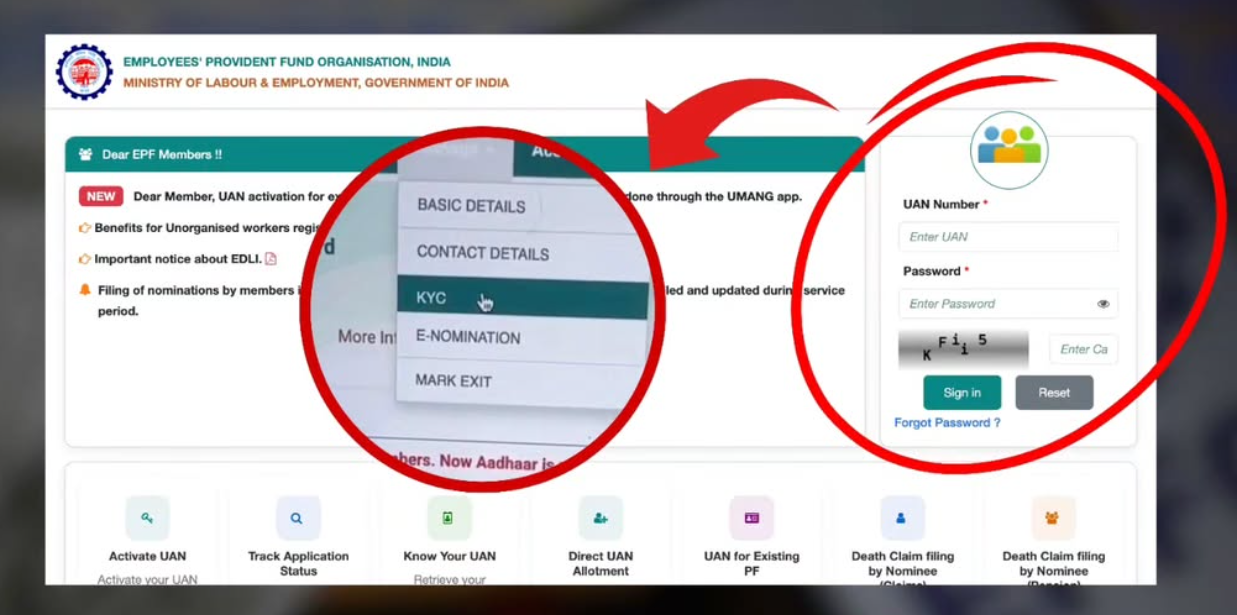
Visit the official EPFO Member e-Sewa Portal.
Log in using your UAN, password and captcha. If you have forgotten your password, use the available password recovery option.
Step 2: Check Your KYC and Bank Details
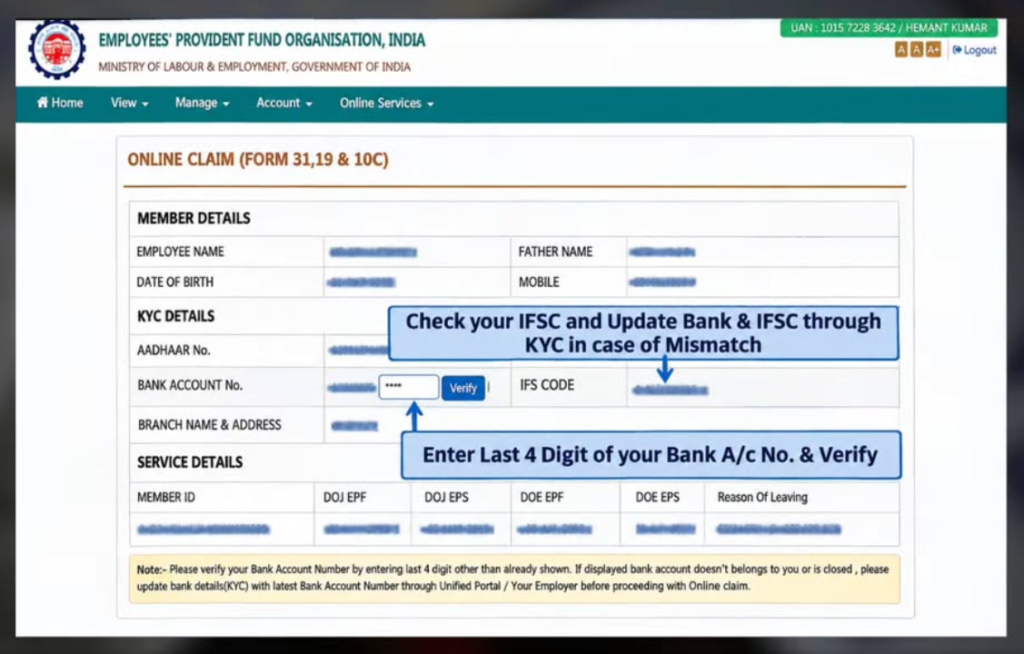
After logging in, check whether your Aadhaar and bank account details are updated and verified.
Also check your service details and Date of Exit, if you have left your job. Incorrect or incomplete information may affect your claim.
Step 3: Open the Online Claim Section
Go to Online Services and select Claim (Form-31, 19 & 10C).
The portal may ask you to verify your bank account by entering the required account details. Check the information carefully before proceeding.
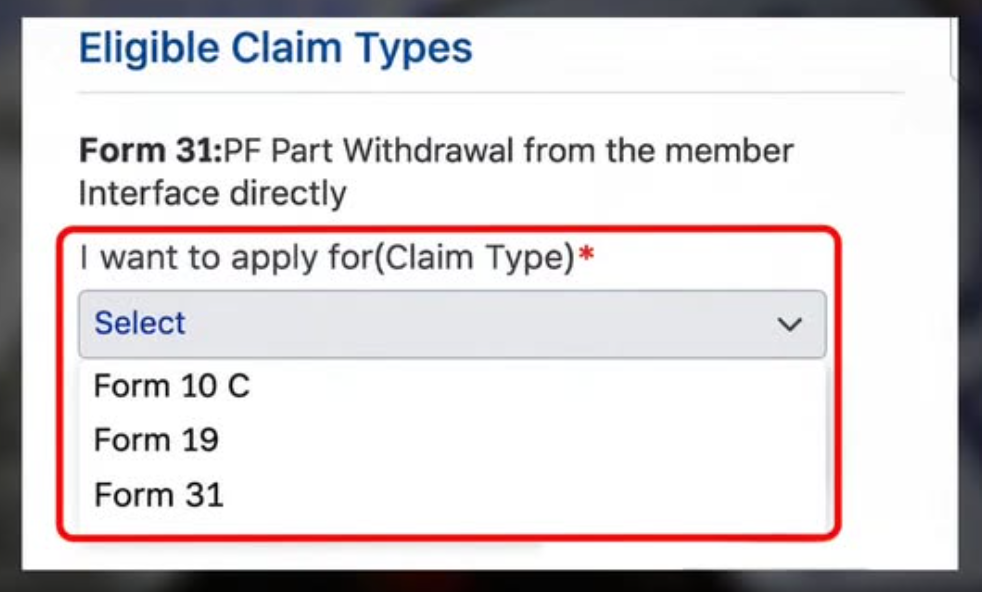
Step 4: Select the Appropriate PF Withdrawal Form
Choose the claim type available according to your eligibility and requirement.
- Form 31: For eligible partial PF withdrawals or advances.
- Form 19: For final settlement of your EPF balance after meeting the applicable conditions.
- Form 10C: For eligible EPS withdrawal benefits or a Scheme Certificate.
Enter the required details and upload supporting documents only if the portal asks for them.
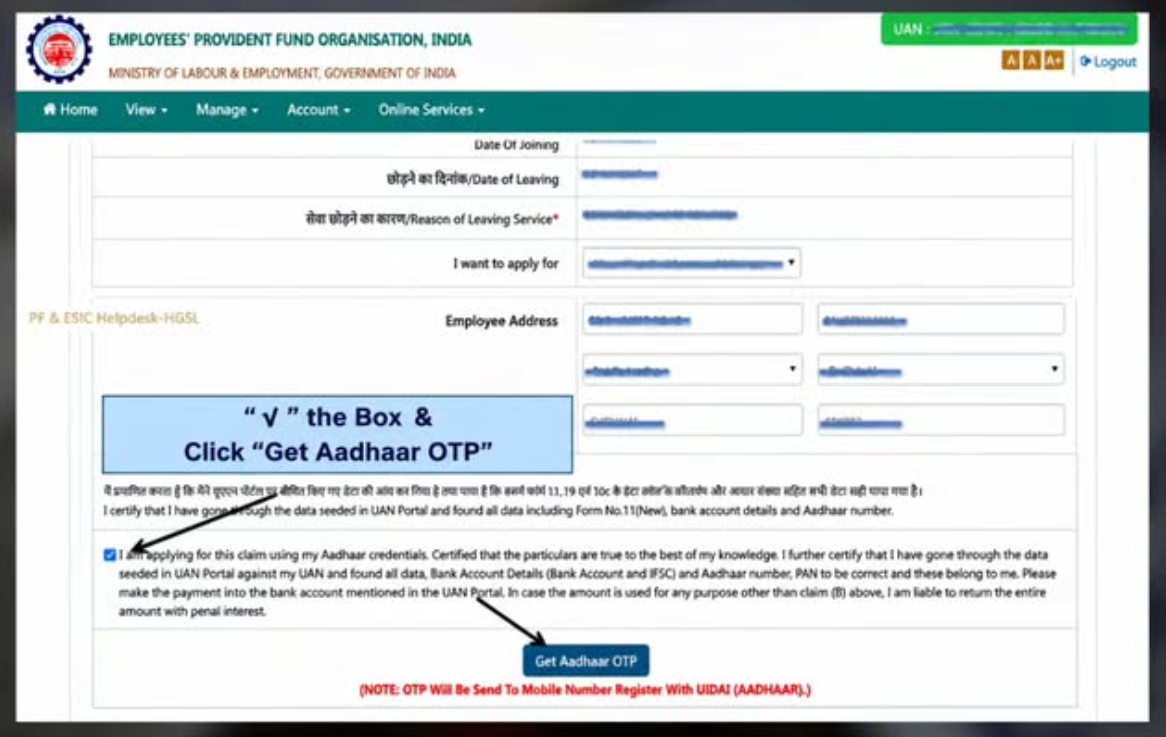
Step 5: Verify OTP and Submit
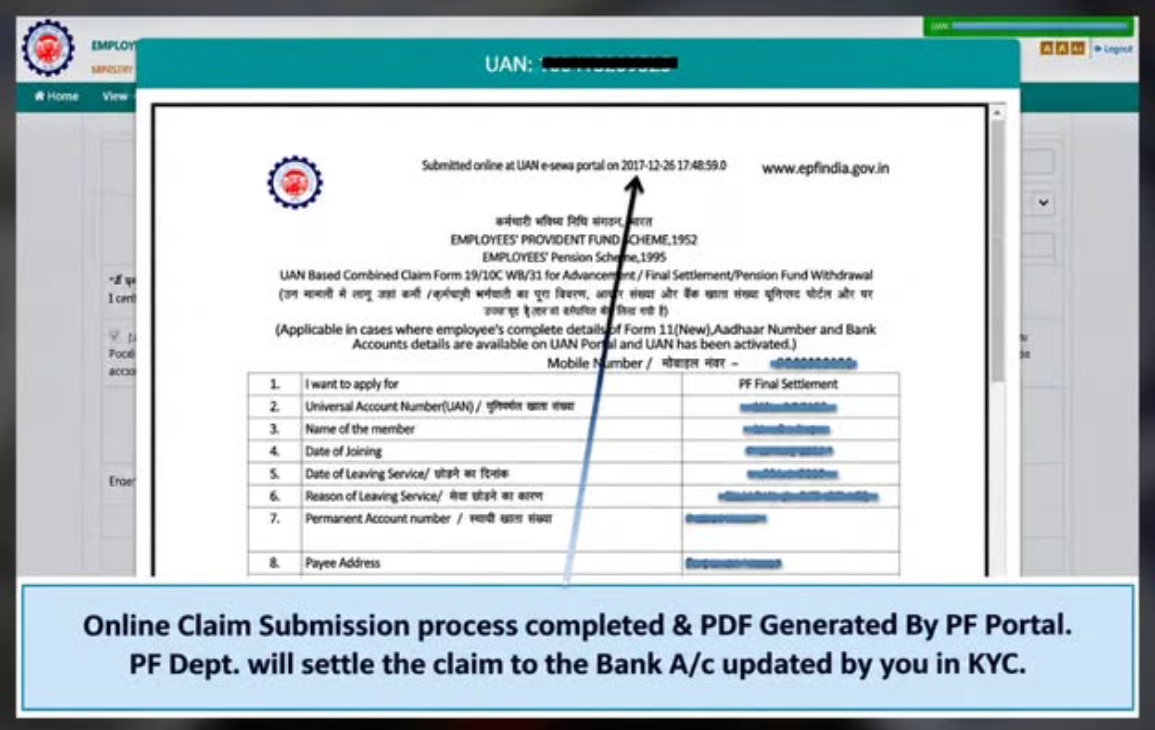
Review the details entered in the claim form. Complete Aadhaar-based OTP verification using the mobile number linked to your Aadhaar.
Submit the claim and save the acknowledgement or claim reference details for future tracking.
Do You Need to Upload a Cancelled Cheque?
No. EPFO removed the requirement to upload a cancelled cheque image or an attested bank passbook for online claims in April 2025. Your bank account details must still be correctly seeded and verified with your UAN.
How Long Does PF Withdrawal Take?
The processing time depends on the type of claim, eligibility and verification requirements. EPFO has also increased the auto-settlement limit for eligible advance claims to ₹5 lakh, helping qualifying claims get processed faster. However, not every claim qualifies for automatic settlement.
You can check your claim progress through the EPFO Member Portal.
Important Things to Remember
- Make sure your UAN is active.
- Check your Aadhaar and bank details before applying.
- Keep your Aadhaar-linked mobile number active for OTP verification.
- Select the correct claim form based on your eligibility.
- Never share your UAN password, Aadhaar OTP or banking details with unauthorised agents.